


Qt Quick Examples - Threading▲
Threading is a collection of QML multithreading examples.
Running the Example▲
To run the example from Qt Creator, open the Welcome mode and select the example from Examples. For more information, visit Building and Running an Example.
Threaded ListModel▲
Threaded ListModel contains a ListView and a ListModel. The ListModel object is updated asynchronously in another thread, and the results propagate back to the main thread. A timer requests updates from the worker thread periodically:
        Timer {
            id: timer
            interval: 2000; repeat: true
            running: true
            triggeredOnStart: true

            onTriggered: {
                var msg = {'action': 'appendCurrentTime', 'model': listModel};
                worker.sendMessage(msg);
            }
        }
Inside the worker thread, the ListModel is synchronized once the data is finished loading:
WorkerScript.onMessage = function(msg) {
    if (msg.action == 'appendCurrentTime') {
        var data = {'time': new Date().toTimeString()};
        msg.model.append(data);
        msg.model.sync();   // updates the changes to the list
    }
}WorkerScript▲
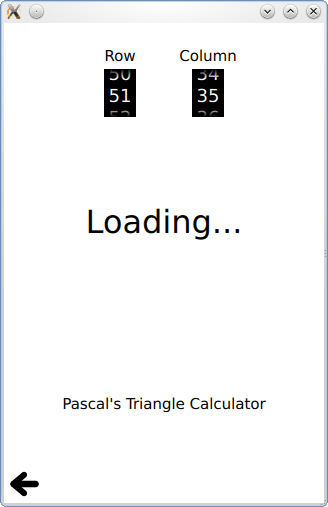
WorkerScript contains an example of using a WorkerScript to offload expensive calculations into another thread. This keeps the UI from being blocked. This example calculates numbers in Pascal's Triangle, and not in a very optimal way, so it will often take several seconds to complete the calculation. By doing this in a WorkerScript in another thread, the UI is not blocked during this time.
When the UI needs another value, a request is sent to the WorkerScript:
        Spinner {
            id: rowSpinner
            label: "Row"
            onValueChanged: {
                resultText.text = "Loading...";
                myWorker.sendMessage( { row: rowSpinner.value, column: columnSpinner.value } );
            }
        }
The workerscript then is free to take a really long time to calculate it:
WorkerScript.onMessage = function(message) {
    //Calculate result (may take a while, using a naive algorithm)
    var