


Qt Quick Examples - Touch Interaction▲
Touch Interaction is a collection of small QML examples relating to touch interaction methods. For more information, visit Important Concepts In Qt Quick - User Input.
Running the Example▲
To run the example from Qt Creator, open the Welcome mode and select the example from Examples. For more information, visit Building and Running an Example.
Multipoint Flames Example▲
Multipoint Flames demonstrates distinguishing different fingers in a MultiPointTouchArea, by assigning a different colored flame to each touch point.
The MultipointTouchArea sets up multiple touch points:
    MultiPointTouchArea {
        anchors.fill: parent
        minimumTouchPoints: 1
        maximumTouchPoints: 5
        touchPoints: [
            TouchPoint { id: touch1 },
            TouchPoint { id: touch2 },
            TouchPoint { id: touch11 },
            TouchPoint { id: touch21 },
            TouchPoint { id: touch31 }
        ]
    }
The flames are then simply bound to the coordinates of the touch point, and whether it is currently pressed, as follows:
    ParticleFlame {
        color: "red"
        emitterX: touch1.x
        emitterY: touch1.y
        emitting: touch1.pressed
    }
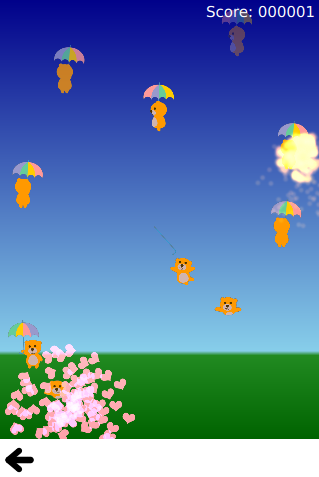
Bear-Whack Example▲
Bear-Whack demonstrates using MultiPointTouchArea to add multiple finger support to a simple game. The interaction with the game is done through a SpriteGoal that follows the TouchPoint. The TouchPoints added to the MultiPointTouchArea are a component with the relevant logic embedded into it: