


CheckBox QML Type▲
-
Import Statement: import QtQuick.Controls 1.4
-
Since: Qt 5.1
-
Inherits: FocusScope
-
Group: CheckBox is part of https://
Detailed Description▲
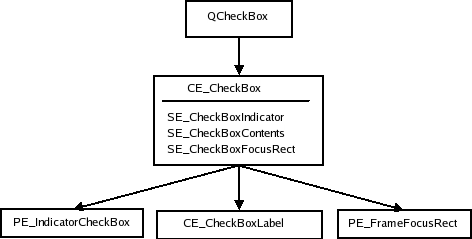
A https:// is an option button that can be toggled on (checked) or off (unchecked). Checkboxes are typically used to represent features in an application that can be enabled or disabled without affecting others.
The state of the checkbox can be set with the https:// property.
In addition to the checked and unchecked states, there is a third state: partially checked. This state indicates that the regular checked/unchecked state can not be determined; generally because of other states that affect the checkbox. This state is useful when several child nodes are selected in a treeview, for example.
The partially checked state can be made available to the user by setting https:// to true, or set directly by setting https:// to Qt.PartiallyChecked. https:// behaves identically to https:// when https:// is false; setting one will appropriately set the other.
The label is shown next to the checkbox, and you can set the label text using its https:// property.
Column {
    CheckBox {
        text: qsTr("Breakfast")
        checked: true
    }
    CheckBox {
        text: qsTr("Lunch")
    }
    CheckBox {
        text: qsTr("Dinner")
        checked: true
    }
}
Whenever a https:// is clicked, it emits the https://() signal.
You can create a custom appearance for a https:// by assigning a https://.
Property Documentation▲
activeFocusOnPress : bool▲
This property is true if the control takes the focus when it is pressed; https://() will be called on the control.
checked : bool▲
This property is true if the control is checked.
checkedState : int▲
This property indicates the current checked state of the checkbox.
Possible values: Qt.UnChecked - The checkbox is not checked (default). Qt.Checked - The checkbox is checked. Qt.PartiallyChecked - The checkbox is in a partially checked (or "mixed") state.
The https:// property also determines whether this property is Qt.Checked or Qt.UnChecked, and vice versa.
exclusiveGroup : ExclusiveGroup▲
This property stores the https:// that the control belongs to.
[read-only] hovered : bool▲
This property indicates whether the control is being hovered.
partiallyCheckedEnabled : bool▲
This property determines whether the Qt.PartiallyChecked state is available.
A checkbox may be in a partially checked state when the regular checked state can not be determined.
Setting https:// to Qt.PartiallyChecked will implicitly set this property to true.
If this property is true, https:// will be false.
By default, this property is false.
pressed : bool▲
This property is true if the control is being pressed. Set this property to manually invoke a mouse click.
style : Component▲
text : string▲
This property holds the text that the label should display.
[since QtQuick.Controls 1.7] tooltip : string▲
This property holds the button tooltip.
This property was introduced in QtQuick.Controls 1.7.