


Qt 3D: Simple QML Example▲
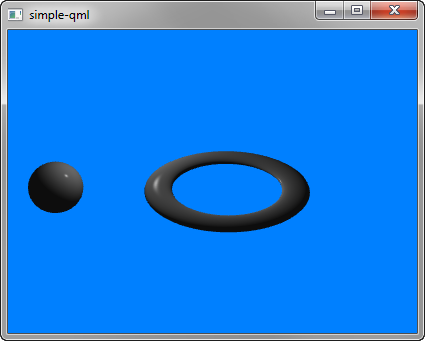
Simple demonstrates how to render a scene in Qt 3D.
Running the Example▲
To run the example from http://, open the Welcome mode and select the example from Examples. For more information, visit http://.
Setting Up the Scene▲
We set up the entire scene in the main.qml file.
To be able to use the types in the Q3D and Q3D Render modules, we must import the modules:
import Qt3D.Core 2.0
import Qt3D.Render 2.0
The first entities we create are a https://, which represents the camera used for the final rendering, and a camera controller, which allows us to control this camera using the keyboard or the mouse:
    Camera {
        id: camera
        projectionType: CameraLens.PerspectiveProjection
        fieldOfView: 45
        aspectRatio: 16/9
        nearPlane : 0.1
        farPlane : 1000.0
        position: Qt.vector3d( 0.0, 0.0, -40.0 )
        upVector: Qt.vector3d( 0.0, 1.0, 0.0 )
        viewCenter: Qt.vector3d( 0.0, 0.0, 0.0 )
    }

    OrbitCameraController {
        camera: camera
    }
A https:// entity specifies a https:// as the active framegraph:
    components: [
        RenderSettings {
            activeFrameGraph: ForwardRenderer {
                clearColor: Qt.rgba(0, 0.5, 1, 1)
                camera: camera
            }
        },
The event source is set by the Qt3DQuickWindow:
InputSettings { }List of Files▲
Files:
List of Files▲
-
simple-qml/main.cpp
-
simple-qml/main.qml
-
simple-qml/simple-qml.pro
-
simple-qml/simple-qml.qrc