


Bluetooth QML Chat Example▲
Bluetooth QML Chat example shows how to use the https:// QML API to communicate with another application on a remote device using Bluetooth.
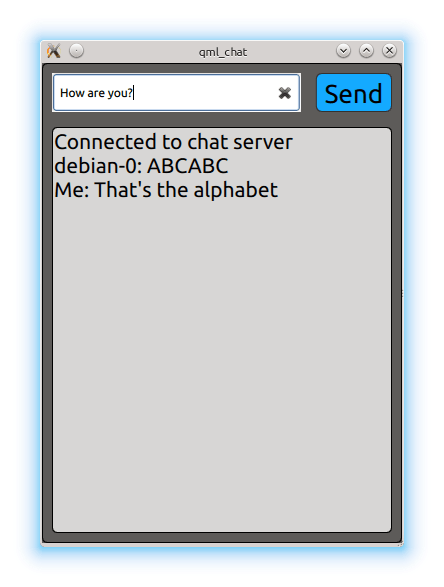
The Bluetooth QML Chat example implements a simple chat program between two parties. The application acts as client and attempts to connect to a Bluetooth socket server. It uses the https:// type to find the server and https:// type to facilitate the data exchange.
Running the Example▲
To run the example from http://, open the Welcome mode and select the example from Examples. For more information, visit http://.
The example only works in connection with the https://. The Bluetooth Chat example launches the chat service and advertises it via the Bluetooth SDP protocol. It is important that the device running the Bluetooth Chat example actively advertises its SDP services. This can be checked using the https:// property.
Interacting with the Server▲
The example application immediately starts the service discovery using the https:// type:
BluetoothDiscoveryModel {
    id: btModel
    running: true
    discoveryMode: BluetoothDiscoveryModel.FullServiceDiscovery
    uuidFilter: targetUuid //e8e10f95-1a70-4b27-9ccf-02010264e9c8
}
The https:// property is used to only search for the chat server UUID and the https:// property activates the search. Once a service with a matching UUID is found the model emits the https://(BluetoothService) signal.
    onServiceDiscovered: {
        if (serviceFound)
            return
        serviceFound = true
        console.log("Found new service " + service.deviceAddress + " " + service.deviceName + " " + service.serviceName);
        searchBox.appendText("\nConnecting to server...")
        remoteDeviceName = service.deviceName
        socket.setService(service)
    }
The https:// type encapsulates the details of the found chat server, such as the https:// and https:// of the service, as well as the https:// and https:// of the Bluetooth device offering the chat server. It is passed to the https:// to establish the connection.
Once the connection is established the socket's state is managed as follows:
BluetoothSocket {
    id: socket
    connected: true

    onSocketStateChanged: {
        switch (socketState) {
            case BluetoothSocket.Unconnected:
            case BluetoothSocket.NoServiceSet:
                searchBox.animationRunning = false;
                searchBox.setText("\nNo connection. \n\nPlease restart app.");
                top.state = "begin";
                break;
            case BluetoothSocket.Connected:
                console.log("Connected to server ");
                top.state = "chatActive"; // move to chat UI
                break;
            case BluetoothSocket.Connecting:
            case BluetoothSocket.ServiceLookup:
            case BluetoothSocket.Closing:
            case BluetoothSocket.Listening:
            case BluetoothSocket.Bound:
                break;
        }
    }
    //...
}
The payload is received via the https:// property:
    onStringDataChanged: {
        console.log("Received data: " )
        var data = remoteDeviceName + ": " + socket.stringData;
        data = data.substring(0, data.indexOf('\n'))
        chatContent.append({content: data})
    }
And sent by setting the same property:
socket.stringData = data