


QML Bluetooth Picture Push Example▲
The Bluetooth Picture Push example shows how to use the https:// API. The example transfers a local image to a remote device. Unfortunately this example cannot be used on Android as Qt does not support the Object Push Profile (OPP) on this platform.
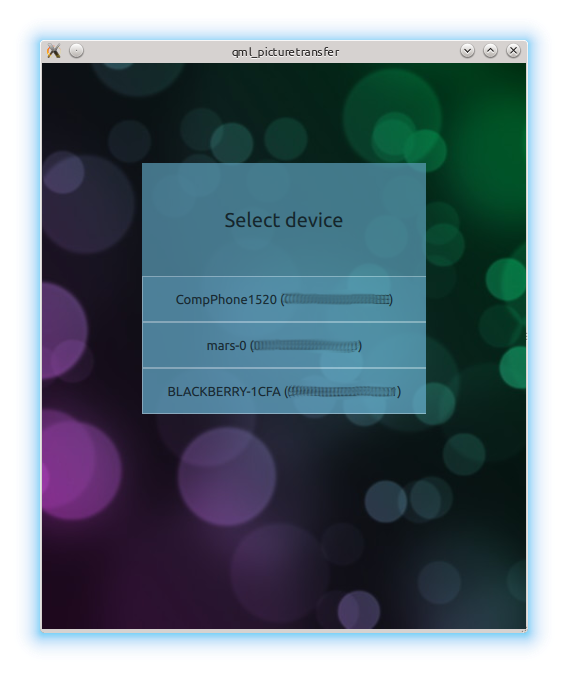
On the first user interface page the application scans for remote Bluetooth devices. The user must select the appropriate device to continue:
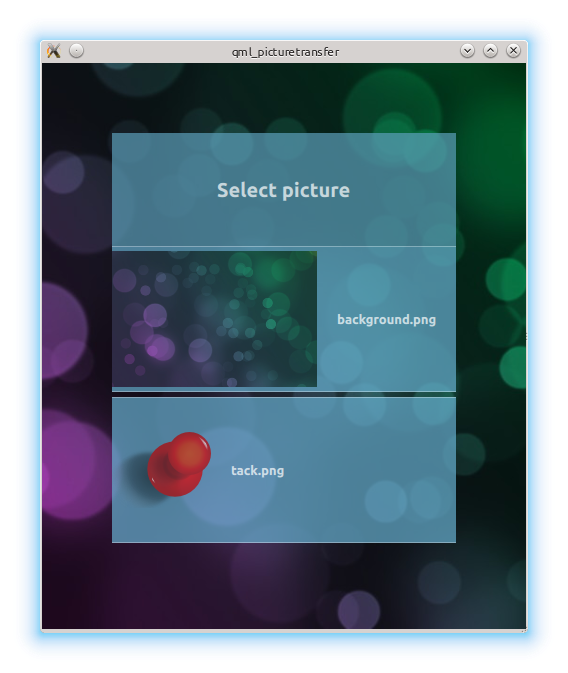
The next page presents a list of image files on the device. The files must be located under https://}:
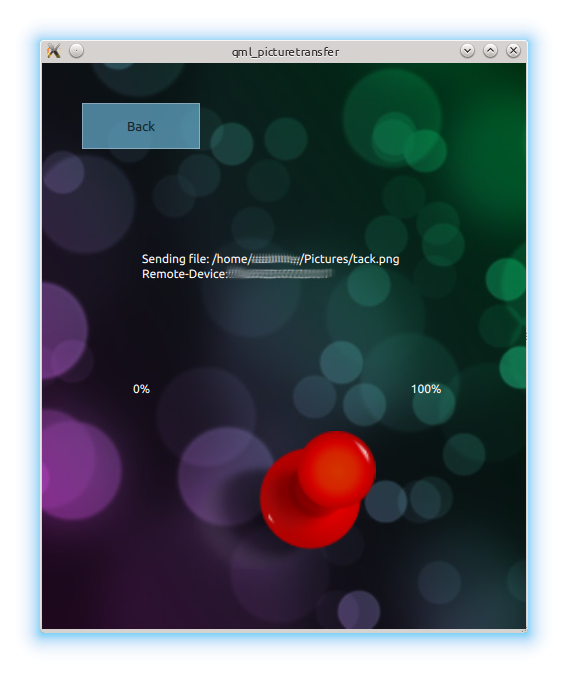
Once the picture was selected the UI shows the progress of the file transfer:
Running the Example▲
To run the example from http://, open the Welcome mode and select the example from Examples. For more information, visit http://.
Device Discovery▲
The device discovery uses the https:// to detect the remote devices. Each discovery is displayed as an entry in a list. Once a device was selected the device address is stored in the root element. More details about the root element will follow further below.
    ListView {
        model: BluetoothDiscoveryModel {
            discoveryMode: BluetoothDiscoveryModel.DeviceDiscovery
            onErrorChanged: {
                if (error == BluetoothDiscoveryModel.NoError)
                    return;
                if (error == BluetoothDiscoveryModel.PoweredOffError)
                    titleLabel.text = "Bluetooth turned off";
                else
                    titleLabel.text = "Cannot find devices";
            }
        }

        delegate: Button {
            width: listView.width + 2
            text: model.name
            onClicked: root.remoteDevice = model.remoteAddress
        }
    }
File Selection▲
The file is selected with the help of https://. Once again the selected file is stored in the root element:
        model: FolderListModel {
            folder: "file://"+SystemPictureFolder
            showDirs: false
        }

        delegate: Rectangle {
            Text {
                text: model.fileName
            }
            MouseArea {
                id: mArea
                anchors.fill: parent
                onClicked: {
                    print ("path: " + model.filePath + " " + model.fileName)
                    root.fileName = model.filePath
                }
            }
        }
Root Element▲
The already mentioned root element collects the necessary pieces of data for the picture transfer. Once the file name has been set it triggers the file transfer:
Image {
    id: root
    property string remoteDevice;
    property string fileName;
    onFileNameChanged: {
        fileTransfer.initTransfer(remoteDevice, fileName);
        loader.source = "FileSending.qml"
    }
    onFileNameChanged: {
        fileTransfer.initTransfer(remoteDevice, fileName);
        loader.source = "FileSending.qml"
    }
File Transfer▲
The file transfer is implemented in C++:
void FileTransfer::initTransfer(QString address, QString fileName)
{
    qDebug() << "Begin sharing file: " << address << fileName;
    QBluetoothAddress btAddress = QBluetoothAddress(address);
    QBluetoothTransferRequest request(btAddress);
    QFile *file = new QFile(fileName);
    reply = manager.put(request, file);
    connect(reply, SIGNAL(transferProgress(qint64,qint64)), this, SLOT(updateProgress(qint64,qint64)));
}
and exposed to QML via a context property:
    QQuickView view;
    FileTransfer fileTransfer;
    view.rootContext()->setContextProperty("fileTransfer", QVariant::fromValue(&fileTransfer));
List of Files▲
Files:
List of Files▲
-
picturetransfer/Button.qml
-
picturetransfer/DeviceDiscovery.qml
-
picturetransfer/FileSending.qml
-
picturetransfer/PictureSelector.qml
-
picturetransfer/bttransfer.qml
-
picturetransfer/filetransfer.cpp
-
picturetransfer/filetransfer.h
-
picturetransfer/main.cpp
-
picturetransfer/picturetransfer.pro
-
picturetransfer/qmltransfer.qrc