


Zoom Line Example▲
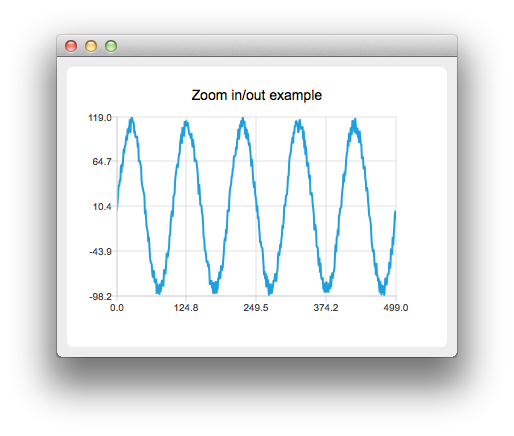
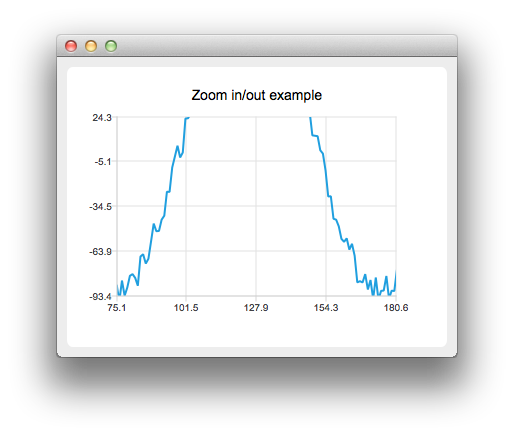
The example shows how to create your own custom zooming effect with https:// by using a mouse and how to use touch gestures for paning and zooming.
Running the Example▲
To run the example from http://, open the Welcome mode and select the example from Examples. For more information, visit http://.
Customizing Zooming Effects▲
Let's first create a line series with some example data.
    QLineSeries *series = new QLineSeries();
    for (int i = 0; i < 500; i++) {
        QPointF p((qreal) i, qSin(M_PI / 50 * i) * 100);
        p.ry() += QRandomGenerator::global()->bounded(20);
        *series << p;
    }
Then we create a custom chart view by deriving from https://:
class ChartView : public QChartViewWe override mouse and key event handling
protected:
    bool viewportEvent(QEvent *event);
    void mousePressEvent(QMouseEvent *event);
    void mouseMoveEvent(QMouseEvent *event);
    void mouseReleaseEvent(QMouseEvent *event);
    void keyPressEvent(QKeyEvent *event);
Then we implement a custom logic for mouse and key events. For example pressing the '+' key will zoom in and pressing the '-' key will zoom out.
void ChartView::keyPressEvent(QKeyEvent *event)
{
    switch (event->key()) {
    case Qt::Key_Plus:
        chart()->zoomIn();
        break;
    case Qt::Key_Minus:
        chart()->zoomOut();
        break;
We also create our own https://:
class Chart : public QChartWhere we can handle the gestures:
bool Chart::sceneEvent(QEvent *event)
{
    if (event->type() == QEvent::Gesture)
        return gestureEvent(static_cast<QGestureEvent *>(event));
    return QChart::event(event);
}

bool Chart::gestureEvent(QGestureEvent *event)
{
    if (QGesture *gesture = event->gesture(Qt::PanGesture)) {
        QPanGesture *pan = static_cast<QPanGesture *>(gesture);
        QChart::scroll(-(pan->delta().x()), pan->delta().y());
    }

    if (QGesture *gesture = event->gesture(Qt::PinchGesture)) {
        QPinchGesture *pinch = static_cast<QPinchGesture *>(gesture);
        if (pinch->changeFlags() & QPinchGesture::ScaleFactorChanged)
            QChart::zoom(pinch->scaleFactor());
    }

    return true;
}
Note that you will need to call grabGesture() to both https:// and https://.
List of Files▲
Files:
List of Files▲
-
zoomlinechart/chart.cpp
-
zoomlinechart/chart.h
-
zoomlinechart/chartview.cpp
-
zoomlinechart/chartview.h
-
zoomlinechart/main.cpp
-
zoomlinechart/zoomlinechart.pro