


Minimal Map (QML)▲
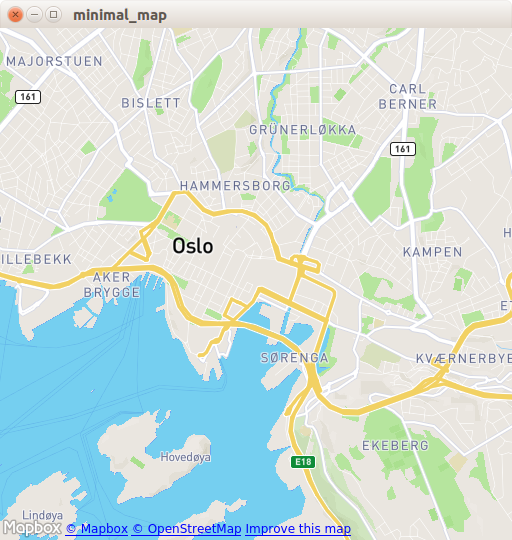
Minimal Map demonstrates how to use the https:// item to render a map. It shows the minimum amount of code needed to display the map, and can be used as a basis for further experimentation.
Running the Example▲
To run the example from http://, open the Welcome mode and select the example from Examples. For more information, visit http://.
C++ Code▲
In main.cpp we use only the https:// and https:// classes.
#include <QGuiApplication>
#include <QQmlApplicationEngine>
In the main function, we first instantiate a https:// object. Then we create a https:// and tell it to load main.qml from the https://.
Finally, https://() launches the main event loop.
int main(int argc, char *argv[])
{
    QGuiApplication app(argc, argv);

    QQmlApplicationEngine engine;
    engine.load(QUrl(QStringLiteral("qrc:/main.qml")));

    return app.exec();
}
QML Code▲
In main.qml, we import the https:// QML module and its depending https:// QML module. Next, we create the top level window, set a sensible default size, and make it visible. The window will be filled by a https:// item showing the map.
import QtQuick 2.0
import QtQuick.Window 2.0
import QtLocation 5.6
import QtPositioning 5.6

Window {
    width: 512
    height: 512
    visible: true

    Plugin {
        id: mapPlugin
        name: "osm" // "mapboxgl", "esri", ...
        // specify plugin parameters if necessary
        // PluginParameter {
        //     name:
        //     value:
        // }
    }

    Map {
        anchors.fill: parent
        plugin: mapPlugin
        center: QtPositioning.coordinate(59.91, 10.75) // Oslo
        zoomLevel: 14
    }
}
The https:// item is necessary to define the map provider we are going to use. The example can work with any of the available geo services plugins. However, some plugins may require additional plugin parameters in order to function correctly and we can use https:// to specify them. In this example, we use the osm plugin, which is a https:// and does not require any parameters.
In the https:// item, we refer to the plugin we use and we set the center and the zoomLevel of the map.
Requirements▲
The example requires a working internet connection to download OpenStreetMap map tiles. An optional system proxy should be picked up automatically.
List of Files▲
Files:
List of Files▲
-
minimal_map/main.cpp
-
minimal_map/main.qml
-
minimal_map/minimal_map.pro
-
minimal_map/qml.qrc