


DTLS client▲
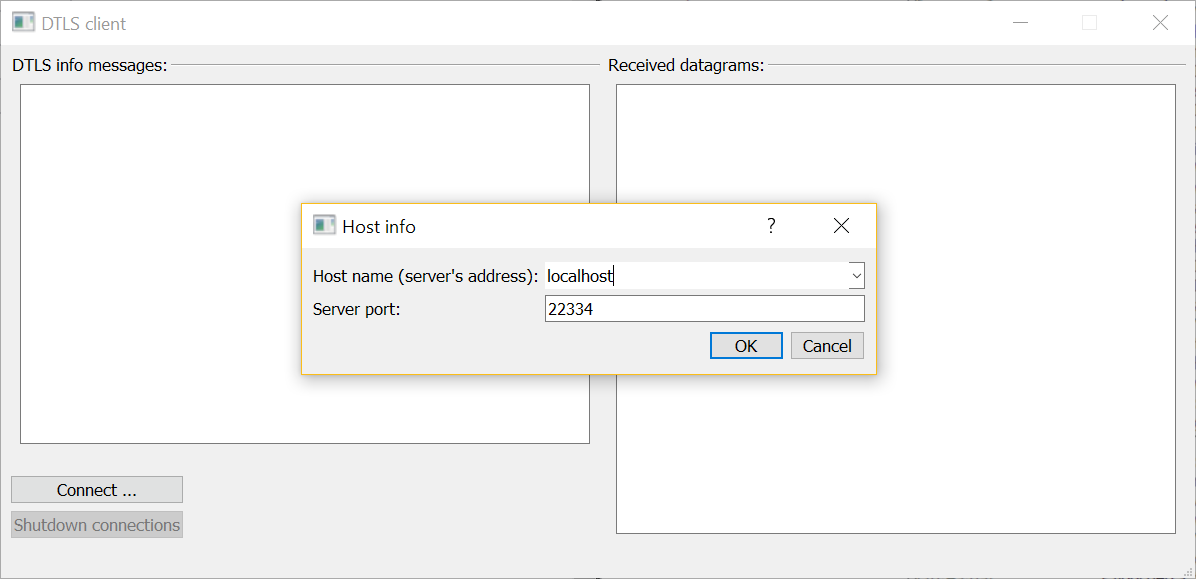
The DTLS client example is intended to be run alongside the https:// example.
The example DTLS client can establish several DTLS connections to one or many DTLS servers. A client-side DTLS connection is implemented by the DtlsAssociation class. This class uses https:// to read and write datagrams and https:// for encryption:
class DtlsAssociation : public QObject
{
    Q_OBJECT

public:
    DtlsAssociation(const QHostAddress &address, quint16 port,
                    const QString &connectionName);
    ~DtlsAssociation();
    void startHandshake();

signals:
    void errorMessage(const QString &message);
    void warningMessage(const QString &message);
    void infoMessage(const QString &message);
    void serverResponse(const QString &clientInfo, const QByteArray &datagraam,
                        const QByteArray &plainText);

private slots:
    void udpSocketConnected();
    void readyRead();
    void handshakeTimeout();
    void pskRequired(QSslPreSharedKeyAuthenticator *auth);
    void pingTimeout();

private:
    QString name;
    QUdpSocket socket;
    QDtls crypto;

    QTimer pingTimer;
    unsigned ping = 0;

    Q_DISABLE_COPY(DtlsAssociation)
};
The constructor sets the minimal TLS configuration for the new DTLS connection, and sets the address and the port of the server:
    ...
auto configuration = QSslConfiguration::defaultDtlsConfiguration();
configuration.setPeerVerifyMode(QSslSocket::VerifyNone);
crypto.setPeer(address, port);
crypto.setDtlsConfiguration(configuration);
    ...
The https://() signal is connected to the handleTimeout() slot to deal with packet loss and retransmission during the handshake phase:
    ...
connect(&crypto, &QDtls::handshakeTimeout, this, &DtlsAssociation::handshakeTimeout);
    ...
To ensure we receive only the datagrams from the server, we connect our UDP socket to the server:
    ...
socket.connectToHost(address.toString(), port);
    ...
The https://() signal is connected to the readyRead() slot:
    ...
connect(&socket, &QUdpSocket::readyRead, this, &DtlsAssociation::readyRead);
    ...
When a secure connection to a server is established, a DtlsAssociation object will be sending short ping messages to the server, using a timer:
pingTimer.setInterval(5000);
connect(&pingTimer, &QTimer::timeout, this, &DtlsAssociation::pingTimeout);
startHandshake() starts a handshake with the server:
void DtlsAssociation::startHandshake()
{
    if (socket.state() != QAbstractSocket::ConnectedState) {
        emit infoMessage(tr("%1: connecting UDP socket first ...").arg(name));
        connect(&socket, &QAbstractSocket::connected, this, &DtlsAssociation::udpSocketConnected);
        return;
    }

    if (!crypto.doHandshake(&socket))
        emit errorMessage(tr("%1: failed to start a handshake - %2").arg(name, crypto.dtlsErrorString()));
    else
        emit infoMessage(tr("%1: starting a handshake").arg(name));
}
The readyRead() slot reads a datagram sent by the server:
QByteArray dgram(socket.pendingDatagramSize(), Qt::Uninitialized);
const qint64 bytesRead = socket.readDatagram(dgram.data(), dgram.size());
if (bytesRead <= 0) {
    emit warningMessage(tr("%1: spurious read notification?").arg(name));
    return;
}

dgram.resize(bytesRead);
If the handshake was already completed, this datagram is decrypted:
if (crypto.isConnectionEncrypted()) {
    const QByteArray plainText = crypto.decryptDatagram(&socket, dgram);
    if (plainText.size()) {
        emit serverResponse(name, dgram, plainText);
        return;
    }

    if (crypto.dtlsError() == QDtlsError::RemoteClosedConnectionError) {
        emit errorMessage(tr("%1: shutdown alert received").arg(name));
        socket.close();
        pingTimer.stop();
        return;
    }

    emit warningMessage(tr("%1: zero-length datagram received?").arg(name));
} else {
otherwise, we try to continue the handshake:
    if (!crypto.doHandshake(&socket, dgram)) {
        emit errorMessage(tr("%1: handshake error - %2").arg(name, crypto.dtlsErrorString()));
        return;
    }
When the handshake has completed, we send our first ping message:
    if (crypto.isConnectionEncrypted()) {
        emit infoMessage(tr("%1: encrypted connection established!").arg(name));
        pingTimer.start();
        pingTimeout();
    } else {
The pskRequired() slot provides the Pre-Shared Key (PSK) needed during the handshake phase:
void DtlsAssociation::pskRequired(QSslPreSharedKeyAuthenticator *auth)
{
    Q_ASSERT(auth);

    emit infoMessage(tr("%1: providing pre-shared key ...").arg(name));
    auth->setIdentity(name.toLatin1());
    auth->setPreSharedKey(QByteArrayLiteral("\x1a\x2b\x3c\x4d\x5e\x6f"));
}
For the sake of brevity, the definition of pskRequired() is oversimplified. The documentation for the https:// class explains in detail how this slot can be properly implemented.
pingTimeout() sends an encrypted message to the server:
void DtlsAssociation::pingTimeout()
{
    static const QString message = QStringLiteral("I am %1, please, accept our ping %2");
    const qint64 written = crypto.writeDatagramEncrypted(&socket, message.arg(name).arg(ping).toLatin1());
    if (written <= 0) {
        emit errorMessage(tr("%1: failed to send a ping - %2").arg(name, crypto.dtlsErrorString()));
        pingTimer.stop();
        return;
    }

    ++ping;
}
During the handshake phase the client must handle possible timeouts, which can happen due to packet loss. The handshakeTimeout() slot retransmits the handshake messages:
void DtlsAssociation::handshakeTimeout()
{
    emit warningMessage(tr("%1: handshake timeout, trying to re-transmit").arg(name));
    if (!crypto.handleTimeout(&socket))
        emit errorMessage(tr("%1: failed to re-transmit - %2").arg(name, crypto.dtlsErrorString()));
}
Before a client connection is destroyed, its DTLS connection must be shut down:
DtlsAssociation::~DtlsAssociation()
{
    if (crypto.isConnectionEncrypted())
        crypto.shutdown(&socket);
}
Error messages, informational messages, and decrypted responses from servers are displayed by the UI:
const QString colorizer(QStringLiteral("<font color=\"%1\">%2</font><br>"));

void MainWindow::addErrorMessage(const QString &message)
{
    ui->clientMessages->insertHtml(colorizer.arg(QStringLiteral("Crimson"), message));
}

void MainWindow::addWarningMessage(const QString &message)
{
    ui->clientMessages->insertHtml(colorizer.arg(QStringLiteral("DarkOrange"), message));
}

void MainWindow::addInfoMessage(const QString &message)
{
    ui->clientMessages->insertHtml(colorizer.arg(QStringLiteral("DarkBlue"), message));
}

void MainWindow::addServerResponse(const QString &clientInfo, const QByteArray &datagram,
                                   const QByteArray &plainText)
{
    static const QString messageColor = QStringLiteral("DarkMagenta");
    static const QString formatter = QStringLiteral("<br>---------------"
                                                    "<br>%1 received a DTLS datagram:<br> %2"
                                                    "<br>As plain text:<br> %3");

    const QString html = formatter.arg(clientInfo, QString::fromUtf8(datagram.toHex(' ')),
                                       QString::fromUtf8(plainText));
    ui->serverMessages->insertHtml(colorizer.arg(messageColor, html));
}
List of Files▲
Files:
List of Files▲
-
secureudpclient/addressdialog.cpp
-
secureudpclient/addressdialog.h
-
secureudpclient/addressdialog.ui
-
secureudpclient/association.cpp
-
secureudpclient/association.h
-
secureudpclient/main.cpp
-
secureudpclient/mainwindow.cpp
-
secureudpclient/mainwindow.h
-
secureudpclient/mainwindow.ui
-
secureudpclient/secureudpclient.pro