


Qt Quick Examples - Drag and Drop▲
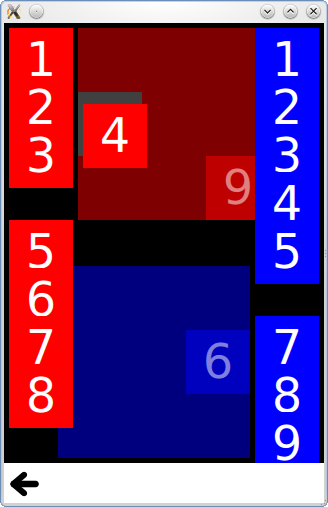
Drag and Drop is a collection of small QML examples relating to the drag and drop functionality. For more information, visit the https:// page.
Running the Example▲
To run the example from http://, open the Welcome mode and select the example from Examples. For more information, visit http://.
Tiles▲
Tiles adds drag and drop to simple rectangles, which you can drag into a specific grid.
It has a DragTile component which uses a https:// to move an item when dragged:
Item {
    id: root
    property string colorKey

    width: 64; height: 64

    MouseArea {
        id: mouseArea

        width: 64; height: 64
        anchors.centerIn: parent

        drag.target: tile

        onReleased: parent = tile.Drag.target !== null ? tile.Drag.target : root

        Rectangle {
            id: tile

            width: 64; height: 64
            anchors.verticalCenter: parent.verticalCenter
            anchors.horizontalCenter: parent.horizontalCenter

            color: colorKey

            Drag.keys: [ colorKey ]
            Drag.active: mouseArea.drag.active
            Drag.hotSpot.x: 32
            Drag.hotSpot.y: 32
            states: State {
                when: mouseArea.drag.active
                ParentChange { target: tile; parent: root }
                AnchorChanges { target: tile; anchors.verticalCenter: undefined; anchors.horizontalCenter: undefined }
            }

        }
    }
}
And a DropTile component on which the dragged tiles can be dropped:
DropArea {
    id: dragTarget

    property string colorKey
    property alias dropProxy: dragTarget

    width: 64; height: 64
    keys: [ colorKey ]

    Rectangle {
        id: dropRectangle

        anchors.fill: parent
        color: colorKey

        states: [
            State {
                when: dragTarget.containsDrag
                PropertyChanges {
                    target: dropRectangle
                    color: "grey"
                }
            }
        ]
    }
}
The keys property of the https:// will only allow an item to be dropped on it if it has a matching key in its Drag.keys property.
GridView Example▲
The https:// Example adds drag and drop to a https://, allowing you to visually reorder the delegates without changing the underlying https://. It uses a https:// to move a delegate item to the position of another item it is dragged over.
    model: DelegateModel {
        delegate: DropArea {
            id: delegateRoot

            width: 80; height: 80

            onEntered: visualModel.items.move(drag.source.visualIndex, icon.visualIndex)
            property int visualIndex: DelegateModel.itemsIndex
            Binding { target: icon; property: "visualIndex"; value: visualIndex }

            Rectangle {
                id: icon
                property int visualIndex: 0
                width: 72; height: 72
                anchors {
                    horizontalCenter: parent.horizontalCenter;
                    verticalCenter: parent.verticalCenter
                }
                radius: 3
                color: model.color

                Text {
                    anchors.centerIn: parent
                    color: "white"
                    text: parent.visualIndex
                }

                DragHandler {
                    id: dragHandler
                }

                Drag.active: dragHandler.active
                Drag.source: icon
                Drag.hotSpot.x: 36
                Drag.hotSpot.y: 36

                states: [
                    State {
                        when: icon.Drag.active
                        ParentChange {
                            target: icon
                            parent: root
                        }

                        AnchorChanges {
                            target: icon
                            anchors.horizontalCenter: undefined
                            anchors.verticalCenter: undefined
                        }
                    }
                ]
            }
        }
List of Files▲
Files:
List of Files▲
-
draganddrop/draganddrop.pro
-
draganddrop/draganddrop.qml
-
draganddrop/draganddrop.qmlproject
-
draganddrop/draganddrop.qrc
-
draganddrop/main.cpp
-
draganddrop/tiles/DragTile.qml
-
draganddrop/tiles/DropTile.qml
-
draganddrop/tiles/tiles.qml
-
draganddrop/views/gridview.qml