


Qt Quick Examples - Shapes▲
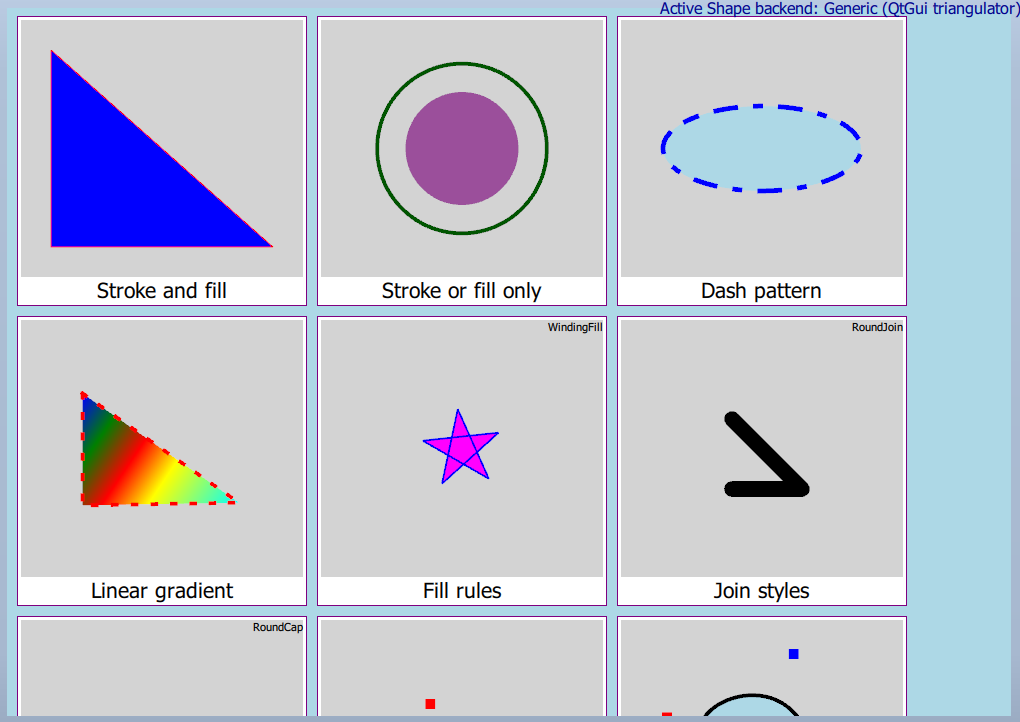
This example demonstrates the usage of the https:// type in Qt Quick. Shapes allow efficiently rendering stroked and filled lines, curves, and arcs in Qt Quick scenes.
Running the Example▲
To run the example from http://, open the Welcome mode and select the example from Examples. For more information, visit http://.
List of Files▲
Files:
List of Files▲
-
shapes/content/clippedtigers.qml
-
shapes/content/interactive.qml
-
shapes/content/item10.qml
-
shapes/content/item11.qml
-
shapes/content/item12.qml
-
shapes/content/item13.qml
-
shapes/content/item14.qml
-
shapes/content/item15.qml
-
shapes/content/item17.qml
-
shapes/content/item2.qml
-
shapes/content/item3.qml
-
shapes/content/item4.qml
-
shapes/content/item5.qml
-
shapes/content/item6.qml
-
shapes/content/item7.qml
-
shapes/content/item8.qml
-
shapes/content/item9.qml
-
shapes/content/main.qml
-
shapes/content/sampling.qml
-
shapes/content/shapegallery.qml
-
shapes/content/tapableTriangle.qml
-
shapes/content/tiger.qml
-
shapes/main.cpp
-
shapes/shapes.pro
-
shapes/shapes.qrc