


Qt Quick Controls - Gallery▲


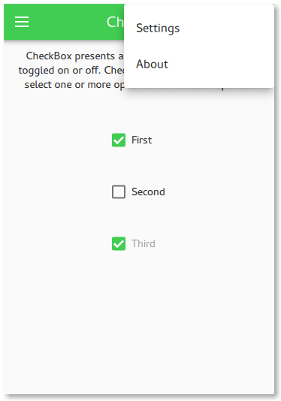
The gallery example is a simple application with a drawer menu that contains all the https://. Each menu item opens a page that shows the graphical appearance of a control, allows you to interact with the control, and explains in which circumstances it is handy to use this control.
Running the Example▲
To run the example from http://, open the Welcome mode and select the example from Examples. For more information, visit http://.
List of Files▲
Files:
List of Files▲
-
gallery/gallery.cpp
-
gallery/gallery.pro
-
gallery/gallery.qml
-
gallery/pages/BusyIndicatorPage.qml
-
gallery/pages/ButtonPage.qml
-
gallery/pages/CheckBoxPage.qml
-
gallery/pages/ComboBoxPage.qml
-
gallery/pages/DelayButtonPage.qml
-
gallery/pages/DelegatePage.qml
-
gallery/pages/DialPage.qml
-
gallery/pages/DialogPage.qml
-
gallery/pages/FramePage.qml
-
gallery/pages/GroupBoxPage.qml
-
gallery/pages/PageIndicatorPage.qml
-
gallery/pages/ProgressBarPage.qml
-
gallery/pages/RadioButtonPage.qml
-
gallery/pages/RangeSliderPage.qml
-
gallery/pages/ScrollBarPage.qml
-
gallery/pages/ScrollIndicatorPage.qml
-
gallery/pages/ScrollablePage.qml
-
gallery/pages/SliderPage.qml
-
gallery/pages/SpinBoxPage.qml
-
gallery/pages/StackViewPage.qml
-
gallery/pages/SwipeViewPage.qml
-
gallery/pages/SwitchPage.qml
-
gallery/pages/TabBarPage.qml
-
gallery/pages/TextAreaPage.qml
-
gallery/pages/TextFieldPage.qml
-
gallery/pages/ToolTipPage.qml
-
gallery/pages/TumblerPage.qml
-
gallery/qtquickcontrols2.conf
List of Files▲
Images:
List of Files▲
-
gallery/icons/gallery/20x20/back.png
-
gallery/icons/gallery/20x20/drawer.png
-
gallery/icons/gallery/20x20/menu.png
-
gallery/icons/gallery/20x20@2/back.png
-
gallery/icons/gallery/20x20@2/drawer.png
-
gallery/icons/gallery/20x20@2/menu.png
-
gallery/icons/gallery/20x20@3/back.png
-
gallery/icons/gallery/20x20@3/drawer.png
-
gallery/icons/gallery/20x20@3/menu.png
-
gallery/icons/gallery/20x20@4/back.png
-
gallery/icons/gallery/20x20@4/drawer.png
-
gallery/icons/gallery/20x20@4/menu.png
-
gallery/images/arrow.png
-
gallery/images/arrow@2x.png
-
gallery/images/arrow@3x.png
-
gallery/images/arrow@4x.png
-
gallery/images/arrows.png
-
gallery/images/arrows@2x.png
-
gallery/images/arrows@3x.png
-
gallery/images/arrows@4x.png
-
gallery/images/qt-logo.png
-
gallery/images/qt-logo@2x.png
-
gallery/images/qt-logo@3x.png
-
gallery/images/qt-logo@4x.png