


Qt Quick Controls - Side Panel▲
This example demonstrates how https:// can be used as a persistent side panel.
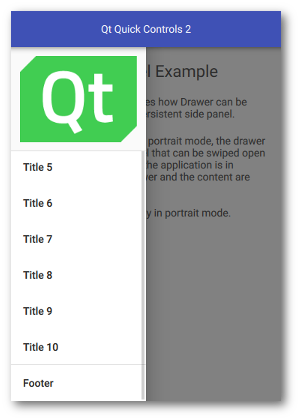
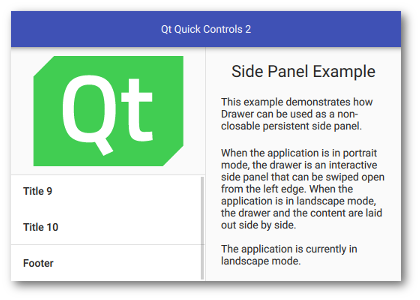
When the application is in portrait mode, the drawer is an interactive side panel that can be swiped open from the left edge. It appears on top of the content, blocking user interaction through its modal background. When the application is in landscape mode, the drawer and the content are laid out side-by-side.
The current orientation of the application is determined by comparing the width and height of the window:
readonly property bool inPortrait: window.width < window.heightThis is used to determine whether the drawer should be https:// and https://, and to configure its https:// and https:// accordingly.
    Drawer {
        ...

        modal: inPortrait
        interactive: inPortrait
        position: inPortrait ? 0 : 1
        visible: !inPortrait
        ...
    }
Running the Example▲
To run the example from http://, open the Welcome mode and select the example from Examples. For more information, visit http://.