


Qt Quick Controls 1 - Table View Example▲
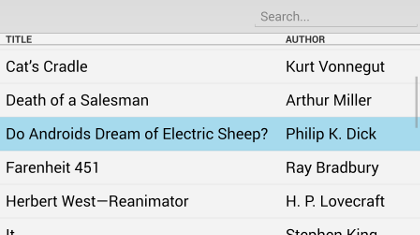
This example project demonstrates the usage of https:// from https:// - a control to display one or more columns of information from a data list model. The example includes a model that supports sorting and filtering.
The C++ class, SortFilterProxyModel, is registered as a QML type under the namespace, "org.qtproject.example 1.0".
The following snippets show how the type is registered under a namespace and later imported by main.qml.
QML type registration:
#include <QtQml/qqml.h>
...
qmlRegisterType<SortFilterProxyModel>("org.qtproject.example", 1, 0, "SortFilterProxyModel");
...
QML namespace import:
import org.qtproject.example 1.0For more information about registering C++ classes as QML types, see https://.
Running the Example▲
To run the example from http://, open the Welcome mode and select the example from Examples. For more information, visit http://.
List of Files▲
Files:
List of Files▲
-
tableview/main.qml
-
tableview/src/main.cpp
-
tableview/src/sortfilterproxymodel.cpp
-
tableview/src/sortfilterproxymodel.h
-
tableview/tableview.pro
-
tableview/tableview.qrc