


Qt Quick Controls 1 Styles▲
The Qt Quick Controls Styles submodule allows custom styling for Qt Quick Controls 1.
The submodule was introduced in Qt 5.1.
Getting started▲
The QML types can be imported into your application using the following import statement in your .qml file.
import QtQuick.Controls.Styles 1.4Styles▲
Base Style▲
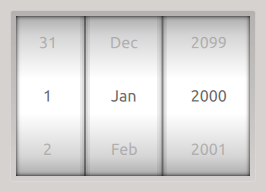
The Base Style is the default style used when none is specified. It is also used as a fallback when the specified style cannot be found.
Flat Style▲
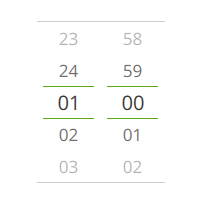
The Flat Style is designed for touch devices.
Selecting Styles▲
You can apply a different style to the controls by setting the QT_QUICK_CONTROLS_1_STYLE environment variable to the name of the style. For example, to use the Flat style, you can do the following:
QT_QUICK_CONTROLS_1_STYLE=Flat ./appThis can also be done in C++, using qputenv():
qputenv("QT_QUICK_CONTROLS_1_STYLE", "Flat");Styling Views▲
-
ScrollViewStyle: Provides custom styling for ScrollView.
-
TabViewStyle: Provides custom styling for TabView.
-
TableViewStyle: Provides custom styling for TableView.
-
TreeViewStyle: Provides custom styling for TreeView.
Styling Controls▲
-
ApplicationWindowStyle: Provides custom styling for ApplicationWindow.
-
BusyIndicatorStyle: Provides custom styling for BusyIndicatorStyle.
-
ButtonStyle: Provides custom styling for Button.
-
CalendarStyle: Provides custom styling for Calendar.
-
CheckBoxStyle: Provides custom styling for CheckBox.
-
CircularGaugeStyle: Provides custom styling for CircularGauge.
-
ComboBoxStyle: Provides custom styling for ComboBox.
-
DelayButtonStyle: Provides custom styling for DelayButton.
-
DialStyle: Provides custom styling for Dial.
-
GaugeStyle: Provides custom styling for Gauge.
-
MenuBarStyle: Provides custom styling for MenuBar.
-
MenuStyle: Provides custom styling for Menu.
-
PieMenuStyle: Provides custom styling for PieMenu.
-
ProgressBarStyle: Provides custom styling for ProgressBar.
-
RadioButtonStyle: Provides custom styling for RadioButton.
-
ScrollViewStyle: Provides custom styling for ScrollView.
-
SliderStyle: Provides custom styling for Slider.
-
SpinBoxStyle: Provides custom styling for SpinBox.
-
StatusBarStyle: Provides custom styling for StatusBar.
-
StatusIndicatorStyle: Provides custom styling for StatusIndicatorStyle.
-
SwitchStyle: Provides custom styling for Switch.
-
TabViewStyle: Provides custom styling for TabView.
-
TableViewStyle: Provides custom styling for TableView.
-
TextAreaStyle: Provides custom styling for TextArea.
-
TextFieldStyle: Provides custom styling for TextField.
-
ToggleButtonStyle: Provides custom styling for ToggleButton.
-
ToolBarStyle: Provides custom styling for ToolBar.
-
TreeViewStyle: Provides custom styling for TreeView.
-
TumblerStyle: Provides custom styling for Tumbler.
Styling Tutorials▲
-
Styling CircularGauge: Tutorial for styling CircularGauge.
-
Styling Gauge: Tutorial for styling the Gauge control.