


Qt Quick Extras - Gallery▲
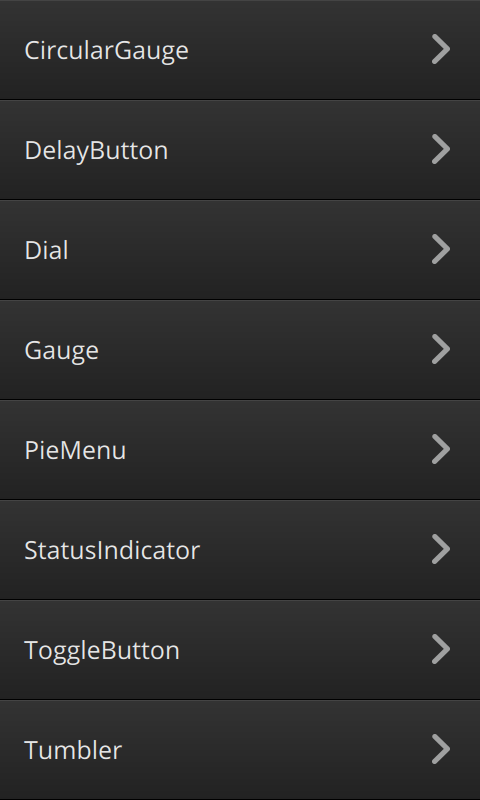
This example project demonstrates the various UI controls provided by https://.
List of Files▲
Files:
List of Files▲
-
gallery/gallery.pro
-
gallery/gallery.qrc
-
gallery/main.cpp
-
gallery/qml/BlackButtonBackground.qml
-
gallery/qml/BlackButtonStyle.qml
-
gallery/qml/CircularGaugeDarkStyle.qml
-
gallery/qml/CircularGaugeDefaultStyle.qml
-
gallery/qml/CircularGaugeLightStyle.qml
-
gallery/qml/CircularGaugeView.qml
-
gallery/qml/ControlLabel.qml
-
gallery/qml/ControlView.qml
-
gallery/qml/ControlViewToolbar.qml
-
gallery/qml/CustomizerLabel.qml
-
gallery/qml/CustomizerSlider.qml
-
gallery/qml/CustomizerSwitch.qml
-
gallery/qml/FlickableMoreIndicator.qml
-
gallery/qml/PieMenuControlView.qml
-
gallery/qml/PieMenuDarkStyle.qml
-
gallery/qml/PieMenuDefaultStyle.qml
-
gallery/qml/StylePicker.qml
-
gallery/qml/gallery.qml
List of Files▲
Images:
List of Files▲
-
gallery/images/background-light.png
-
gallery/images/background.png
-
gallery/images/center-light.png
-
gallery/images/center.png
-
gallery/images/icon-back.png
-
gallery/images/icon-go.png
-
gallery/images/icon-settings.png
-
gallery/images/info.png
-
gallery/images/needle-light.png
-
gallery/images/needle.png
-
gallery/images/qt-logo.png
-
gallery/images/zoom_in.png
-
gallery/images/zoom_out.png