


Qt Sensors - ShakeIt QML Example▲
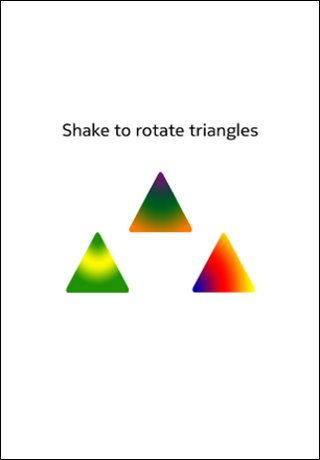
ShakeIt in QML▲
Writing a QML application that uses the Shake QML sensorgestures type requires the following steps:
Import the Sensors Declarative module.
Sélectionnez
import QtSensors 5.0Add a https:// QML type.
Sélectionnez
SensorGesture {In the https:// type, specify which gesture to be used. Note that this can be a comma separated list. Here we are only interested in one gesture recognizer.
Sélectionnez
        gestures : ["QtSensors.shake", "QtSensors.whip", "QtSensors.twist", "QtSensors.cover",
            "QtSensors.hover", "QtSensors.turnover", "QtSensors.pickup", "QtSensors.slam" , "QtSensors.doubletap"]
Use the 'enabled' property to start the sensor gesture.
Sélectionnez
enabled: trueUse the onDetected signal to do stuff.
Sélectionnez
        onDetected:{
            console.debug(gesture)
            label.text = gesture

            if (gesture == "shake") {
                window.state == "rotated" ? window.state = "default" : window.state = "rotated"
                timer.start()
            }
            if (gesture == "whip") {
                window.state == "whipped" ? window.state = "default" : window.state = "whipped"
                timer.start()
            }
            if (gesture == "twistRight") {
                window.state == "twistedR" ? window.state = "default" : window.state = "twistedR"
                timer.start()
            }
            if (gesture == "twistLeft") {
                window.state == "twistedL" ? window.state = "default" : window.state = "twistedL"
                timer.start()
            }
            if (gesture == "cover") {
                window.state == "covered" ? window.state = "default" : window.state = "covered"
                timer.start()
            }
            if (gesture == "hover") {
                window.state == "hovered" ? window.state = "default" : window.state = "hovered"
                timer.start()
            }
            if (gesture == "turnover") {
                window.state = "default"
                loopy2a_mono.play();
                timer.start()
            }
            if (gesture == "pickup") {
                window.state = "default"
                phone.play()
                timer.start()
            }
            if (gesture == "slam") {
                window.state == "slammed" ? window.state = "default" : window.state = "slammed"
                timer.start()
            }
            if (gesture == "doubletap") {
                window.state == "doubletapped" ? window.state = "default" : window.state = "doubletapped"
                timer.start()
            }
        }
There are additional gestures to shake which are supported: whip, twistRight, hover, cover, turnover and pickup.