


Qt Quick Virtual Keyboard - Basic Example▲
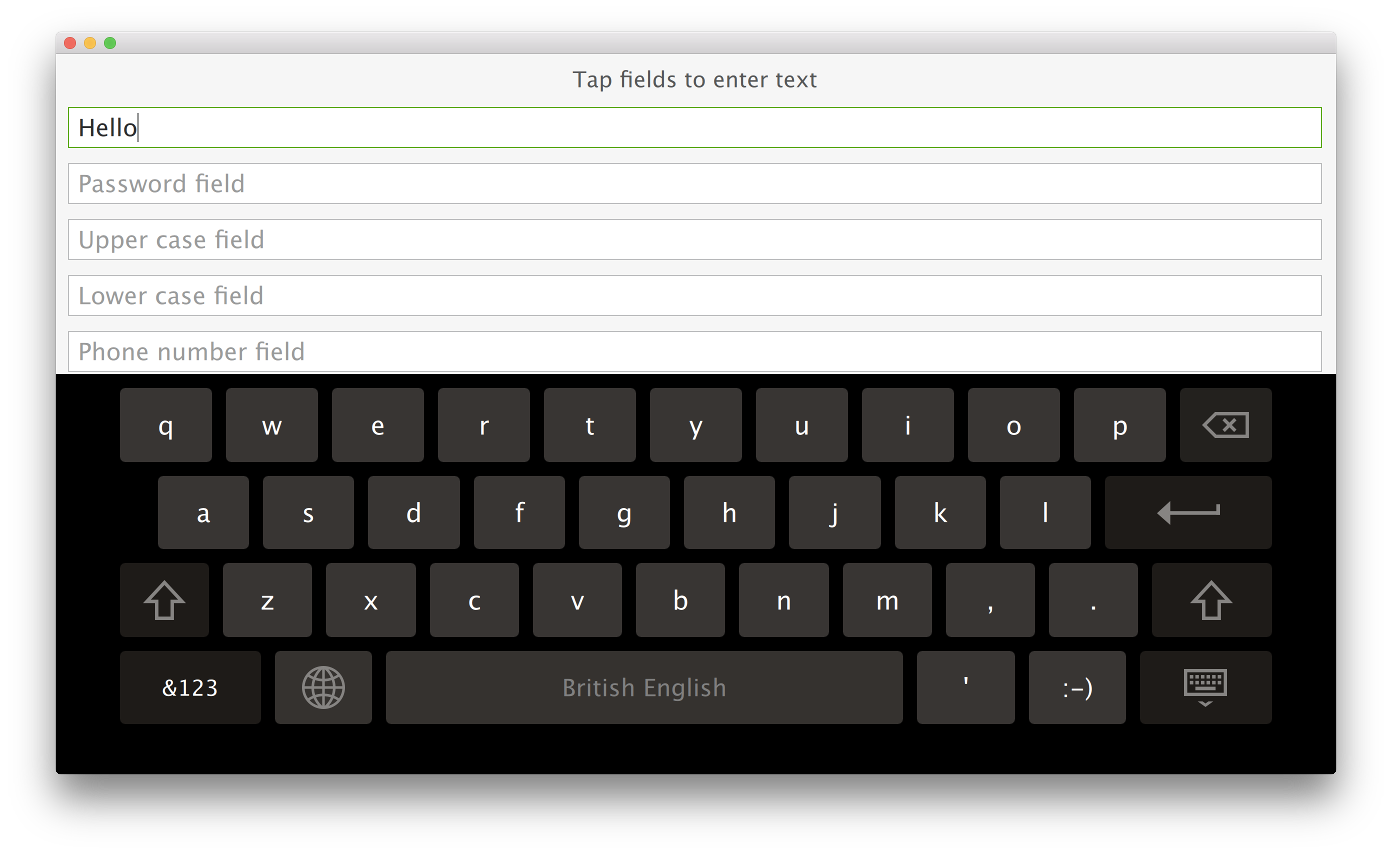
The example has two implementations: one for desktop platforms and another for embedded platforms. The former version enables text input into several text fields using the virtual keyboard, whereas the latter version uses the same UI but with a custom virtual keyboard https://. The following snippet from basic.pro shows how the qmake project is set up to choose the appropriate implementation based on the CONFIG options:
disable-desktop|android-embedded|!isEmpty(CROSS_COMPILE)|qnx {
    DEFINES += MAIN_QML=\\\"basic-b2qt.qml\\\"
} else {
    DEFINES += MAIN_QML=\\\"Basic.qml\\\"
}
The example enables the virtual keyboard by setting the QT_IM_MODULE environment variable before loading the .qml file:
#include <QQuickView>
#include <QGuiApplication>
#include <QQmlEngine>

int main(int argc, char *argv[])
{
    qputenv("QT_IM_MODULE", QByteArray("qtvirtualkeyboard"));

    QGuiApplication app(argc, argv);
    QQuickView view(QString("qrc:/%2").arg(MAIN_QML));
    if (view.status() == QQuickView::Error)
        return -1;
    view.setResizeMode(QQuickView::SizeRootObjectToView);

    view.show();

    return app.exec();
}
Besides this, it uses custom https:// and https:// items to configure the [ENTER] key behavior using the https:// attached property.
import QtQuick 2.10
import QtQuick.Controls 2.3
import QtQuick.VirtualKeyboard 2.1
import "content"

Rectangle {
    ...
                TextField {
                    width: parent.width
                    placeholderText: "One line field"
                    enterKeyAction: EnterKeyAction.Next
                    onAccepted: passwordField.focus = true
                }
    ...
                TextArea {
                    id: textArea
                    width: parent.width
                    placeholderText: "Multiple line field"
                    height: Math.max(206, implicitHeight)
                }
}
The https:// and https:// controls extend the respective https:// types with enterKeyEnabled and enterKeyAction properties. The https:// and https:// instances in the snippet can set these properties to change the default behavior.
Running the Example▲
To run the example from http://, open the Welcome mode and select the example from Examples. For more information, visit http://.
List of Files▲
Files:
List of Files▲
-
basic/Basic.qml
-
basic/basic-b2qt.qml
-
basic/basic.pro
-
basic/content/AutoScroller.qml
-
basic/content/FloatingButton_Active.svg
-
basic/content/FloatingButton_Available.svg
-
basic/content/FloatingButton_Unavailable.svg
-
basic/content/HandwritingModeButton.qml
-
basic/content/TextArea.qml
-
basic/content/TextField.qml
-
basic/demo.qrc
-
basic/main.cpp