


WebEngine Qt Quick Minimal Example▲
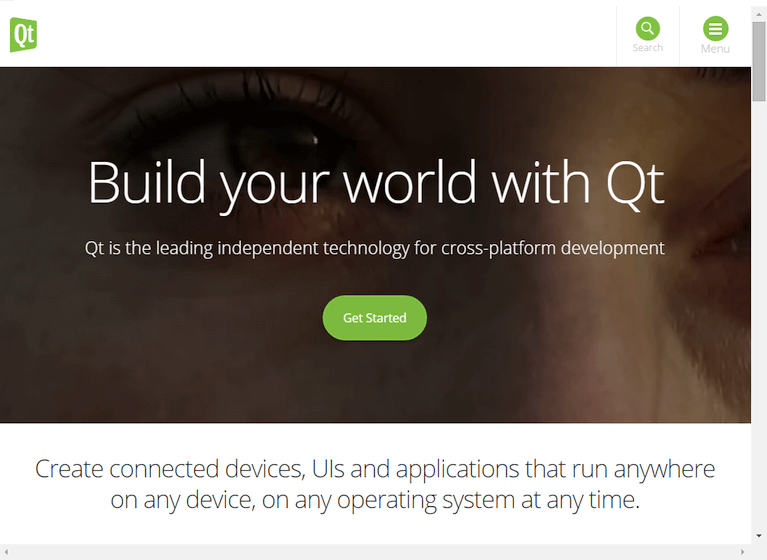
https:// Qt Quick Minimal Example demonstrates how to use the https:// item to render a web page. It shows the minimum amount of code needed to load and display an HTML page, and can be used as a basis for further experimentation.
Running the Example▲
To run the example from http://, open the Welcome mode and select the example from Examples. For more information, visit http://.
C++ Code▲
In main.cpp we use only the https:// and https:// classes. We also include qtwebengineglobal.h to be able to use https://.
#include <QGuiApplication>
#include <QQmlApplicationEngine>
#include <qtwebengineglobal.h>
In the main function we first set the https:// property. This affects the locations where Qt WebEngine stores persistent and cached data (see also https:// and https://).
We also set the https:// attribute. This lets the web view automatically scale on high-dpi displays. Then we instantiate a https:// object.
Next, we call https://, which makes sure that OpenGL contexts can be shared between the main process and the dedicated renderer process (QtWebEngineProcess). This method needs to be called before any OpenGL context is created.
Then we create a https://, and tell it to load main.qml from the https://.
Finally, https://() launches the main event loop.
int main(int argc, char *argv[])
{
    QCoreApplication::setOrganizationName("QtExamples");
    QCoreApplication::setAttribute(Qt::AA_EnableHighDpiScaling);
    QGuiApplication app(argc, argv);

    QtWebEngine::initialize();

    QQmlApplicationEngine engine;
    engine.load(QUrl(QStringLiteral("qrc:/main.qml")));

    return app.exec();
}
QML Code▲
In main.qml we create the top level window, set a sensible default size and make it visible. The window will be filled by a https:// item loading the http://.
import QtQuick 2.0
import QtQuick.Window 2.0
import QtWebEngine 1.0

Window {
    width: 1024
    height: 750
    visible: true
    WebEngineView {
        anchors.fill: parent
        url: "https://www.qt.io"
    }
}Requirements▲
The example requires a working internet connection to render the http://. An optional system proxy should be picked up automatically.
List of Files▲
Files:
List of Files▲
-
webengine/minimal/main.cpp
-
webengine/minimal/main.qml
-
webengine/minimal/minimal.pro
-
webengine/minimal/qml.qrc