IdentifiantMot de passe
Loading...
Mot de passe oublié ?Je m'inscris ! (gratuit)

Affine Transformations

Demonstrates how affine transformations in https:// works.

Article lu   fois.

L'auteur

Liens sociaux

Viadeo Twitter Facebook Share on Google+   

Affine Transformations▲
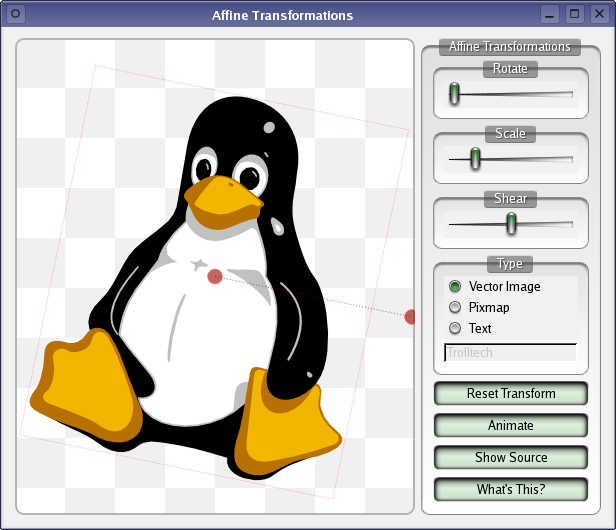
Image non disponible

Transformations can be performed on any kind of graphics drawn using https://. The transformations used to display the vector graphics, images, and text can be adjusted in the following ways:

  • Dragging the red circle in the centre of each drawing moves it to a new position.

  • Dragging the displaced red circle causes the current drawing to be rotated about the central circle. Rotation can also be controlled with the Rotate slider.

  • Scaling is controlled with the Scale slider.

  • Each drawing can be sheared with the Shear slider.

List of Files▲

Files:

List of Files▲

  • painting/affine/affine.pro

  • painting/affine/affine.qrc

  • painting/affine/main.cpp

  • painting/affine/xform.cpp

  • painting/affine/xform.h

List of Files▲

Images:

List of Files▲
  • painting/affine/bg1.jpg

Vous avez aimé ce tutoriel ? Alors partagez-le en cliquant sur les boutons suivants : Viadeo Twitter Facebook Share on Google+   

Ce document est disponible sous la licence https:// telle que publiée par la Free Software Foundation.