


Qt Quick Controls - Text Editor▲
The Text Editor Example presents a sample HTML file using the https:// control, preserving the HTML formatting. The application comes with two user interfaces; one for traditional desktop platforms with a mouse pointer, and another simpler, touch-oriented version.
Desktop User Interface▲
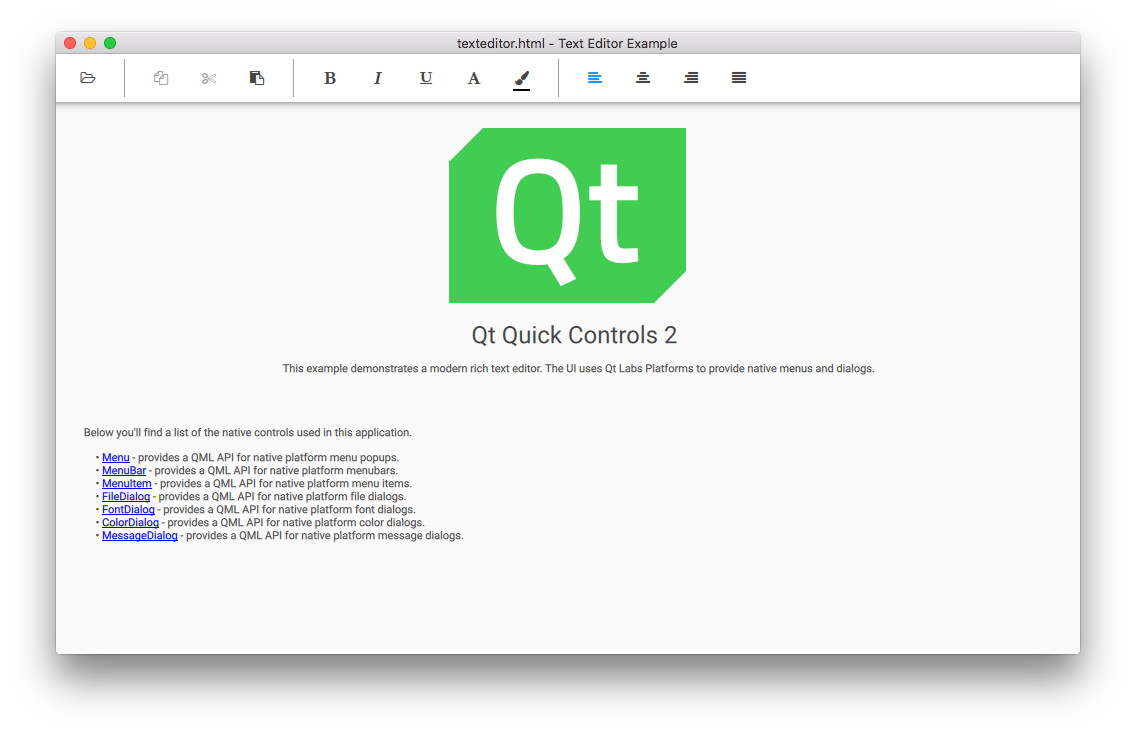
The desktop version is a complete text editor with capabilities for formatting text, and opening and saving HTML and plain text files. It demonstrates the native-looking dialogs and menus using the Qt Labs Platform module. These types are mostly suitable for desktop platforms with support for multiple top-level windows, a mouse pointer, and moderate screen size.
The desktop UI uses FileDialog for opening and saving files:
    FileDialog {
        id: openDialog
        fileMode: FileDialog.OpenFile
        selectedNameFilter.index: 1
        nameFilters: ["Text files (*.txt)", "HTML files (*.html *.htm)", "Markdown files (*.md *.markdown)"]
        currentFolder: StandardPaths.writableLocation(StandardPaths.DocumentsLocation)
        onAccepted: document.load(file)
    }

    FileDialog {
        id: saveDialog
        fileMode: FileDialog.SaveFile
        defaultSuffix: document.fileType
        nameFilters: openDialog.nameFilters
        selectedNameFilter.index: document.fileType === "txt" ? 0 : 1
        currentFolder: StandardPaths.writableLocation(StandardPaths.DocumentsLocation)
        onAccepted: document.saveAs(file)
    }
It uses FontDialog and ColorDialog for choosing fonts and colors:
    FontDialog {
        id: fontDialog

        onAccepted: document.font = fontDialog.selectedFont
        onVisibleChanged: if (visible) currentFont = document.font
    }

    Platform.ColorDialog {
        id: colorDialog
        currentColor: "black"
    }
It also uses https:// and https:// that provide a context menu to format text within:
    Platform.Menu {
        id: contextMenu

        Platform.MenuItem {
            text: qsTr("Copy")
            enabled: textArea.selectedText
            onTriggered: textArea.copy()
        }
        Platform.MenuItem {
            text: qsTr("Cut")
            enabled: textArea.selectedText
            onTriggered: textArea.cut()
        }
        Platform.MenuItem {
            text: qsTr("Paste")
            enabled: textArea.canPaste
            onTriggered: textArea.paste()
        }

        Platform.MenuSeparator {}

        Platform.MenuItem {
            text: qsTr("Font...")
            onTriggered: fontDialog.open()
        }

        Platform.MenuItem {
            text: qsTr("Color...")
            onTriggered: colorDialog.open()
        }
    }
There is also a standard menubar with more options than the context menu.
Touch User Interface▲
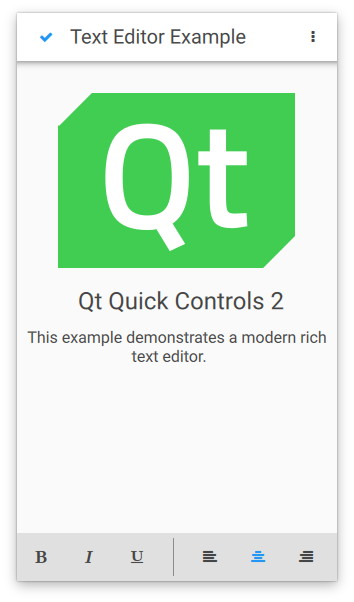
The touch user interface is a simplified version of the text editor. It is suitable for touch devices with limited screen size. The example uses https:// to load the appropriate user interface automatically.
Unlike the desktop version, which uses top-level dialogs, the touch version uses the QML https:// type, which is not a top-level window. This type of dialog is fully supported on mobile and embedded platforms that do not support multiple top-level windows.
    Dialog {
        id: aboutDialog
        standardButtons: Dialog.Ok
        modal: true
        x: parent.width / 2 - width / 2
        y: parent.height / 2 - height / 2

        contentItem: Label {
            text: qsTr("Qt Quick Controls - Text Editor Example")
        }
    }
C++ Backend▲
Both user interfaces use the same C++ backend, which supports opening, formatting, and editing a document. The C++ class, DocumentHandler, extends https:// and is registered as a QML type under the namespace io.qt.examples.texteditor 1.0.
The following snippets show how the type is registered under a namespace and later imported and instantiated by main.qml. For more information about registering C++ classes as QML types, see https://.
QML type registration:
#include <QtQml/qqml.h>
...
qmlRegisterType<DocumentHandler>("io.qt.examples.texteditor", 1, 0, "DocumentHandler");
...
QML namespace import:
import io.qt.examples.texteditor 1.0QML instance:
    DocumentHandler {
        id: document
        document: textArea.textDocument
        cursorPosition: textArea.cursorPosition
        selectionStart: textArea.selectionStart
        selectionEnd: textArea.selectionEnd
        textColor: colorDialog.color

        property alias family: document.font.family
        property alias bold: document.font.bold
        property alias italic: document.font.italic
        property alias underline: document.font.underline
        property alias strikeout: document.font.strikeout
        property alias size: document.font.pointSize

        Component.onCompleted: {
            if (Qt.application.arguments.length === 2)
                document.load("file:" + Qt.application.arguments[1]);
            else
                document.load("qrc:/texteditor.html")
        }
        onLoaded: function (text, format) {
            textArea.textFormat = format
            textArea.text = text
        }
        onError: function (message) {
            errorDialog.text = message
            errorDialog.visible = true
        }
    }
Running the Example▲
To run the example from https://, open the Welcome mode and select the example from Examples. For more information, visit https://.
Example project▲
https://