


Qt Widgets▲
The https:// provides a set of UI elements to create classic desktop-style user interfaces. See the User Interfaces overview for more information on using widgets.
Widgets▲
Widgets are the primary elements for creating user interfaces in Qt. https:// can display data and status information, receive user input, and provide a container for other widgets that should be grouped together. A widget that is not embedded in a parent widget is called a https://.
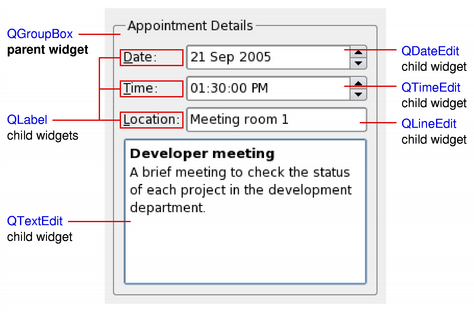
The https:// class provides the basic capability to render to the screen, and to handle user input events. All UI elements that Qt provides are either subclasses of https://, or are used in connection with a https:// subclass. Creating custom widgets is done by subclassing https:// or a suitable subclass and reimplementing the virtual event handlers.
-
https://
-
https://
-
https://
-
https://
Styles▲
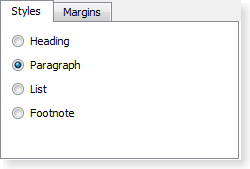
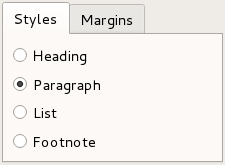
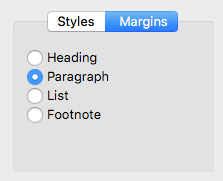
https:// draw on behalf of widgets and encapsulate the look and feel of a GUI. Qt's built-in widgets use the https:// class to perform nearly all of their drawing, ensuring that they look exactly like the equivalent native widgets.
 |
 |
 |
https:// are a powerful mechanism that allows you to customize the appearance of widgets, in addition to what is already possible by subclassing https://.
Layouts▲
https:// are an elegant and flexible way to automatically arrange child widgets within their container. Each widget reports its size requirements to the layout through the https:// and https:// properties, and the layout distributes the available space accordingly.
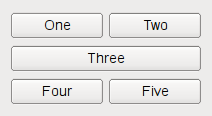 |
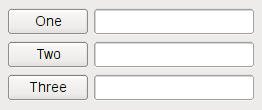 |
Qt Designer is a powerful tool for interactively creating and arranging widgets in layouts.
Model/View Classes▲
The https:// architecture provides classes that manage the way data is presented to the user. Data-driven applications which use lists and tables are structured to separate the data and view using models, views, and delegates.
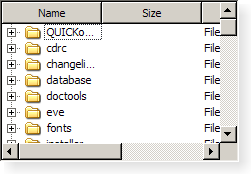
Graphics View▲
The https:// is for managing and interacting with a large number of custom-made 2D graphical items, and a view widget for visualizing the items, with support for zooming and rotation.
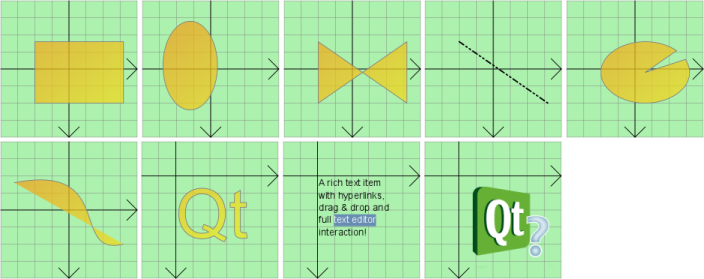
Using the Module▲
Using a Qt module requires linking against the module library, either directly or through other dependencies. Several build tools have dedicated support for this, including http:// and https://.
Building with CMake▲
Use the find_package() command to locate the needed module component in the Qt6 package:
find_package(Qt6 REQUIRED COMPONENTS Widgets)
target_link_libraries(mytarget PRIVATE Qt6::Widgets)
For more details, see the Build with CMake overview.
Building with qmake▲
To configure the module for building with qmake, add the module as a value of the QT variable in the project's .pro file:
QT += widgetsArticles and Guides▲
-
https://
-
https://
-
https://
-
https://
Examples▲
-
https://
-
https://
API Reference▲
-
https://
-
https://
-
https://
-
https://
-
https://
-
https://
-
https://
-
https://
-
https://
-
https://
-
-
https://
Module Evolution▲
https:// lists important changes in the module API and functionality that were done for the Qt 6 series of Qt.
Licenses▲
The Qt Widgets module is available under commercial licenses from http://. In addition, it is available under free software licenses: The GNU Lesser General Public License, version 3, or the GNU General Public License, version 2. See Qt Licensing for further details.