


RESTful server Address Book Example▲
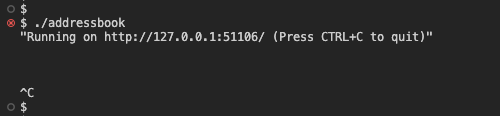
This example shows how to set up a RESTful API server using the https:// class. The Address Book API allows create, read, update and delete operations of name and address entries.
httpServer.route("/v2/contact", QHttpServerRequest::Method::Get,
                 [&contacts](const QHttpServerRequest &) {
                     QJsonArray array;
                     std::transform(contacts.cbegin(), contacts.cend(),
                                    std::inserter(array, array.begin()),
                                    [](const auto &it) { return it.toJson(); });

                     return QHttpServerResponse(array);
                 });
In the example above, the route is specified for the GET method, which returns the JSON array with all address entries stored. To achieve that, the https://() method is used with the https:// enumeration.
httpServer.route(
        "/v2/contact", QHttpServerRequest::Method::Post,
        [&contacts](const QHttpServerRequest &request) {
            if (!checkApiKeyHeader(request.headers())) {
                return QHttpServerResponse(QHttpServerResponder::StatusCode::Unauthorized);
            }
            const auto json = byteArrayToJsonObject(request.body());
            if (!json || !json->contains("address") || !json->contains("name"))
                return QHttpServerResponse(QHttpServerResponder::StatusCode::BadRequest);
            const auto entry = insertAddress(contacts, json->value("name").toString(),
                                             json->value("address").toString());
            return QHttpServerResponse(entry, QHttpServerResponder::StatusCode::Created);
        });
In this example, the route is specified for the POST method, which adds a new entry to the address book and returns a JSON object that represents the added entry. This JSON object also contains an HTTP status code: Created for new entries, or AlreadyReported for pre-existing entries. This example makes use of an overload of https:// to send a JSON object and corresponding HTTP status code.
To create an entry the request body must be a JSON object with address and name fields. For example:
{
    "address": "Example Street 1, Big City"
    "name": "John Smith"
}