


Qt Quick 3D - Robot Arm Example▲
This example demonstrates adding a C++ backend to a 3D project created in Qt Design Studio. The example itself consists of an interactive industrial robot arm in a Qt Quick 3D scene. The 2D UI to control the robot arm is implement using Qt Quick Controls.
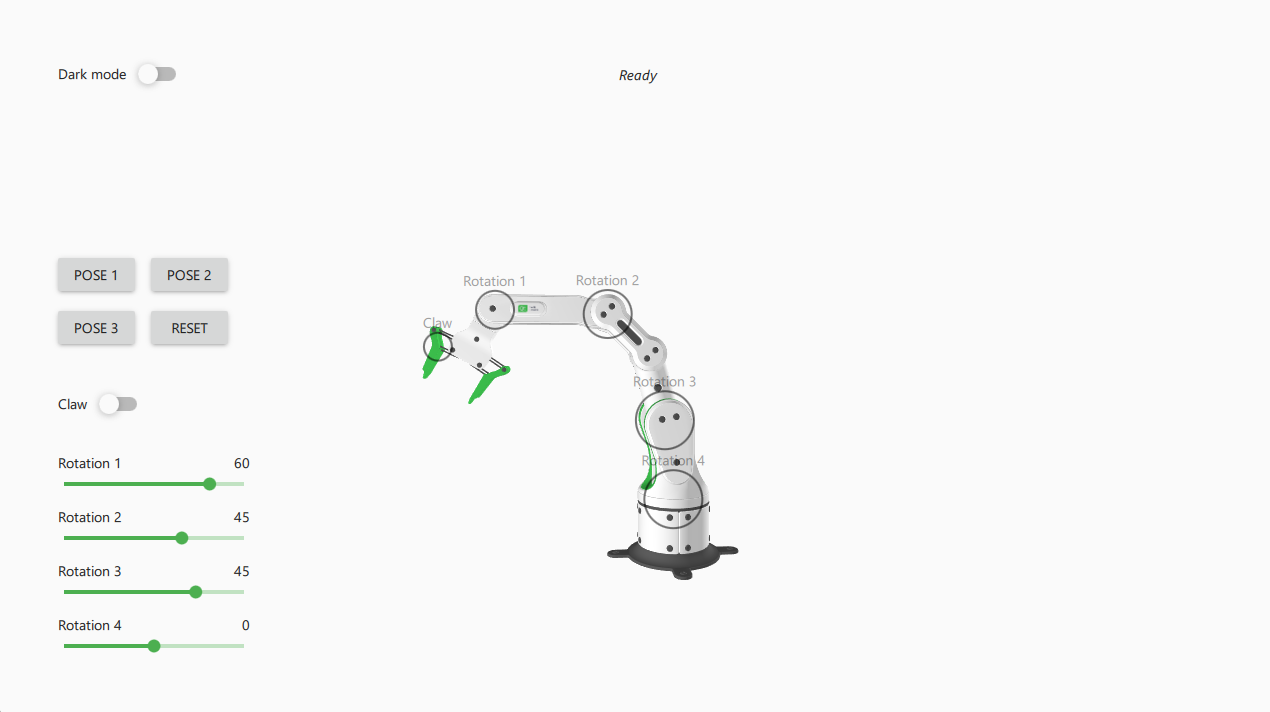
For Qt Design Studio the Robot Arm Example comes with a simple QML based QML module in backend_moc/Backend/Backend_moc.qml, that serves as a backend for the project when using it with Qt Design Studio. The C++ application implements a compatible backend as a C++ based QML module. Both QML modules implement the same API, which ensures compatibility between the two modules.
The Qt Quick 3D scene for the Robot Arm is defined in content/RoboticArm.ui.qml. The 2D UI is implemented in content/MainScreen.ui.qml and is repsonsive and also supports a light and dark mode. The example uses the Material style from Qt Quick Controls and the dark and light theme to implement both modes.
List of Files▲
Files:
List of Files▲
-
robotarm/Backend/CMakeLists.txt
-
robotarm/Backend/animatedparam.cpp
-
robotarm/Backend/animatedparam.h
-
robotarm/Backend/backend.cpp
-
robotarm/Backend/backend.h
-
robotarm/CMakeLists.txt
-
robotarm/RobotArm.qmlproject
-
robotarm/backend_mock/Backend/BackendMock.qml
-
robotarm/backend_mock/Backend/qmldir
-
robotarm/content/App.qml
-
robotarm/content/CMakeLists.txt
-
robotarm/content/LabeledSlider.ui.qml
-
robotarm/content/MainScreen.ui.qml
-
robotarm/content/NodeIndicator.qml
-
robotarm/content/RoboticArm.ui.qml
-
robotarm/content/Toggle.ui.qml
-
robotarm/imports/CMakeLists.txt
-
robotarm/imports/RobotArm/CMakeLists.txt
-
robotarm/imports/RobotArm/Constants.qml
-
robotarm/imports/RobotArm/qmldir
-
robotarm/main.qml
-
robotarm/src/app_environment.h
-
robotarm/src/import_qml_plugins.h
-
robotarm/src/main.cpp