


Qt Quick 3D Physics - Impeller Example▲
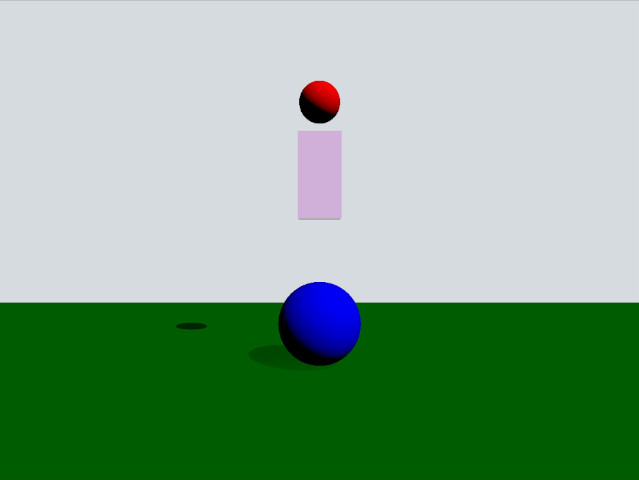
This example demonstrates how to use trigger bodies and collision info. The scene consists of a green static plane, a red dynamic sphere, a pink box trigger and a blue static sphere. When the red sphere overlaps the trigger body it will turn yellow and when it collides with the blue sphere it will be repelled away.
Setup▲
As usual we need to add our DynamicsWorld:
Sélectionnez
DynamicsWorld {
    gravity: Qt.vector3d(0, -490, 0)
}
We also add a View3D where we put our scene objects. In this we have some settings for the visual environment:
Sélectionnez
environment: SceneEnvironment {
    clearColor: "#d6dbdf"
    backgroundMode: SceneEnvironment.Color
}

PerspectiveCamera {
    position: Qt.vector3d(0, 200, 1000)
    clipFar: 2000
    clipNear: 1
}

DirectionalLight {
    eulerRotation.x: -45
    eulerRotation.y: 45
    castsShadow: true
    brightness: 1
    shadowFactor: 100
}
Physical objects▲
We have our regular static plane:
Sélectionnez
StaticRigidBody {
    position: Qt.vector3d(0, -100, 0)
    eulerRotation: Qt.vector3d(-90, 0, 0)
    collisionShapes: PlaneShape {}
    Model {
        source: "#Rectangle"
        scale: Qt.vector3d(500, 500, 0)
        materials: PrincipledMaterial {
            baseColor: "green"
        }
        castsShadows: false
        receivesShadows: true
    }
}
This is how our dynamic sphere is defined:
Sélectionnez
DynamicRigidBody {
    id: sphere
    density: 0.00001
    position: Qt.vector3d(0, 600, 0)
    property bool inArea: false
    sendContactReports: true
    enableTriggerReports: true

    collisionShapes: SphereShape {}
    Model {
        source: "#Sphere"
        materials: PrincipledMaterial {
            baseColor: sphere.inArea ? "yellow" : "red"
        }
    }
}
The property inArea is a custom property we use t