


Qt WebChannel Standalone Example▲
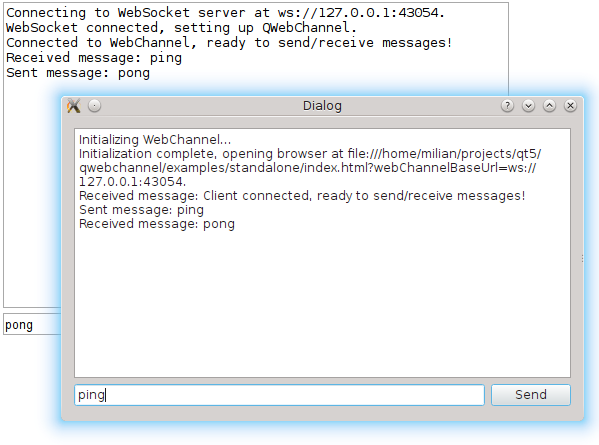
Standalone demonstrates how to use the QWebChannel C++ API to communicate with an external client. It is a simple chat between a C++ application and a remote HTML client running in your default browser.
Running the Example▲
To run the example from Qt Creator, open the Welcome mode and select the example from Examples. For more information, visit Building and Running an Example.
Communicating with a Remote Client▲
The C++ application sets up a QWebChannel instance and publishes a Core object over it. For the remote client side, the index.html file is opened. Both show a dialog with the list of received messages and an input box to send messages to the other end.
The Core emits the Core::sendText() signal when the user sends a message. The signal automatically gets propagated to the HTML client. When the user enters a message on the HTML side, Core::receiveText() is called.
All communication between the HTML client and the C++ server is done over a WebSocket. The C++ side instantiates a QWebSocketServer and wraps incoming QWebSocket connections in QWebChannelAbstractTransport objects. These objects are then connected to the QWebChannel instance.
Example project▲
See Also▲
See also Qt WebChannel JavaScript API