


Hello Vulkan Triangle Example▲
The Hello Vulkan Triangle Example creates a full graphics pipeline, including a vertex and fragment shader, to render a triangle.
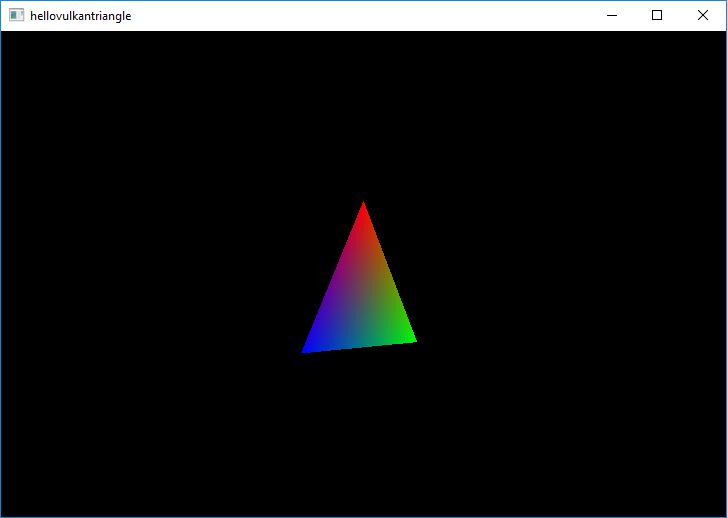
Startup▲
Each Qt application using Vulkan will have to have a Vulkan instance which encapsulates application-level state and initializes a Vulkan library.
A QVulkanWindow must always be associated with a QVulkanInstance and hence the example performs instance creation before the window. The QVulkanInstance object must also outlive the window.
    QVulkanInstance inst;
    inst.setLayers({ "VK_LAYER_KHRONOS_validation" });
    if (!inst.create())
        qFatal("Failed to create Vulkan instance: %d", inst.errorCode());
The example enables validation layers, when supported. When the requested layers are not present, the request will be ignored. Additional layers and extensions can be enabled in a similar manner.
    VulkanWindow w;
    w.setVulkanInstance(&inst);

    w.resize(1024, 768);
    w.show();
Once the instance is ready, it is time to create a window. Note that w lives on the stack and is declared after inst.
The QVulkanWindow Subclass▲
To add custom functionality to a QVulkanWindow, subclassing is used. This follows the existing patterns from QOpenGLWindow and QOpenGLWidget. However, QVulkanWindow utilizes a separate QVulkanWindowRenderer object.
The QVulkanWindow subclass reimplements the factory function QVulkanWindow::createRenderer(). This simply returns a new instance of the QVulkanWindowRenderer subclass. In order to be able to access various Vulkan resources via the window object, a pointer to the window is passed and stored via the constructor.
class VulkanWindow : public QVulkanWindow
{
public:
    QVulkanWindowRenderer *createRenderer() override;
};
The Actual Rendering▲
QVulkanWindow subclasses queue their draw calls in their reimplementation of QVulkanWindowRenderer::startNextFrame(). Once done, they are required to call back QVulkanWindow::frameReady(). The example has no asynchronous command generation, so the frameReady() call is made directly from startNextFrame(). To get continuous updates, the example simply invokes QWindow::requestUpdate() in order to schedule a repaint.
The example also demonstrates multisample antialiasing. Based on the supported sample counts reported by QVulkanWindow::supportedSampleCounts() the example chooses between 8x, 4x, or no multisampling. Once configured via QVulkanWindow::setSamples(), QVulkanWindow takes care of the rest: the additional multisample color buffers are created automatically, and resolving into the swapchain buffers is performed at the end of the default render pass for each frame.
Running the Example▲
To run the example from Qt Creator, open the Welcome mode and select the example from Examples. For more information, visit Building and Running an Example.