


Qt Quick Examples - Positioners▲
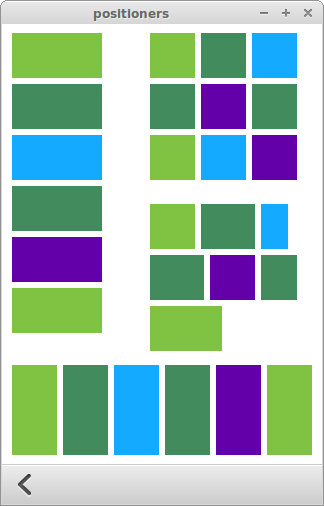
Positioners is a collection of small QML examples relating to positioners. Each example is a small QML file emphasizing a particular type or feature. For more information, visit Important Concepts In Qt Quick - Positioning.
Running the Example▲
To run the example from Qt Creator, open the Welcome mode and select the example from Examples. For more information, visit Building and Running an Example.
Transitions▲
Transitions shows animated transitions when showing or hiding items in a positioner. It consists of a scene populated with items in a variety of positioners: Column, Row, Grid, and Flow. Each positioner has animations described as Transitions.
move: Transition {
    NumberAnimation {
        properties: "x,y"
        easing.type: Easing.OutBounce
    }
}
The move transition specifies how items inside a positioner will animate when they are displaced by the appearance or disappearance of other items.
add: Transition {
    NumberAnimation {
        properties: "x,y"
        easing.type: Easing.OutBounce
    }
}
The add transition specifies how items will appear when they are added to a positioner.
populate: Transition {
    NumberAnimation {
        properties: "x,y"
        from: 200
        duration: 100
        easing.type: Easing.OutBounce
    }
}
The populate transition specifies how items will appear when their parent positioner is first created.
Attached Properties▲
Attached Properties shows how the Positioner attached property can be used to determine where an item is within a positioner.
Rectangle {
    id: green
    color: "#80c342"
    width: 100 * page.ratio
    height: 100 * page.ratio

    Text {
      anchors.left: parent.right
      anchors.leftMargin: 20
      anchors.verticalCenter: parent.verticalCenter
      text: qsTr("Index: %1%2%3").arg(parent.Positioner.index)
                .arg(parent.Positioner.isFirstItem ? qsTr(" (First)") : "")
                .arg(parent.Positioner.isLastItem ? qsTr(" (Last)") : "")
    }

    // When mouse is clicked, display the values of the positioner
    MouseArea {
        anchors.fill: parent
        onClicked: column.showInfo(green.Positioner)
    }
}