


Qt Quick 3D Physics - Material Example▲
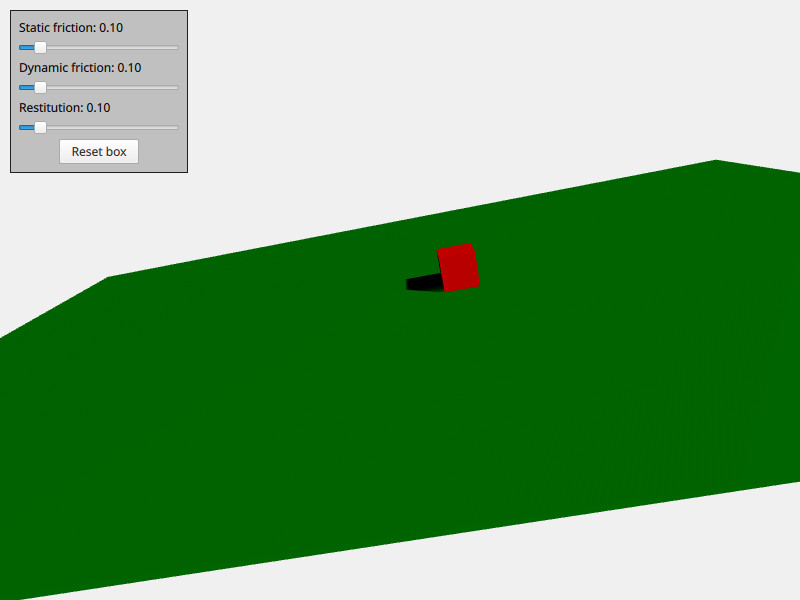
The Material example demonstrates how to control the material properties of a physical body. The scene contains the usual boilerplate of a https://, https://, https:// and https://. In addition to this the scene contains two physical bodies, namely a slightly tilted plane and a box. Every physical body has a https:// property containing a https:// node. https:// contains these three material properties; https://, https:// and https:// and these are used to define how the body will act when colliding with and sliding against other bodies. There is a simple user interface that allows to interactively tweak the material of the box so you can see how it interacts depending on its material properties.
This is the QML code for the material:
PhysicsMaterial {
    id: physicsMaterial
    staticFriction: staticFrictionSlider.value
    dynamicFriction: dynamicFrictionSlider.value
    restitution: restitutionSlider.value
}
The material is simply referencing the values of the user interface's sliders. This same material is then used for both the box and the floor:
DynamicRigidBody {
    id: box
    physicsMaterial: physicsMaterial
    massMode: DynamicRigidBody.CustomDensity
    density: 10
    property vector3d startPosition: Qt.vector3d(700, 300, 0)
    position: startPosition
    Model {
        source: "#Cube"
        materials: PrincipledMaterial {
            baseColor: "red"
        }
    }
    collisionShapes: BoxShape {}
}
StaticRigidBody {
    eulerRotation: Qt.vector3d(-79, -90, 0)
    scale: Qt.vector3d(20, 30, 100)
    physicsMaterial: physicsMaterial
    collisionShapes: PlaneShape {}
    Model {
        source: "#Rectangle"
        materials: DefaultMaterial {
            diffuseColor: "green"
        }
    }
}
List of Files▲
Files:
List of Files▲
-
material/CMakeLists.txt
-
material/main.cpp
-
material/main.qml
-
material/material.pro
-
material/qml.qrc